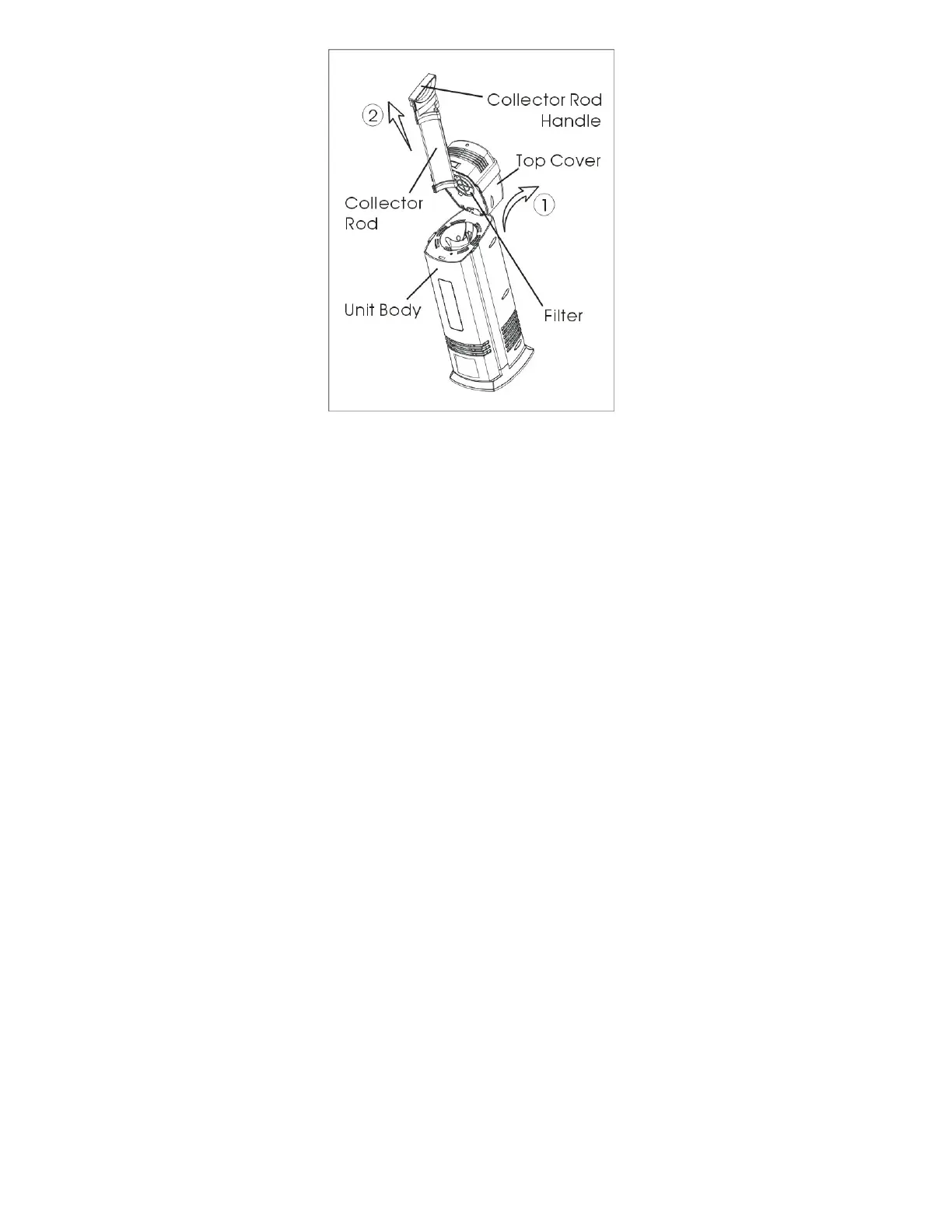
Figure 4
REMOVING/ CLEANING/INSTALLING THE COLLECTOR ROD (See
Figure 4)
● To remove the collector rod:
1. Unplug the unit;
2. Press the release button and flip the top cover backward; (See Figure 4
and follow arrow ①)
3. Grip the collector rod handle and pull it up firmly. (See Figure 4 and
follow arrow ②)
● To clean the collector rod:
-- For common household particles
1. Remove the Collector Rod from the unit as described above;
2. Use a soft, damp cloth to wipe the surface of the Collector Rod;
3. Ensure that the collector rod is completely dry;
4. Insert the collector rod back into the unit;
5. Clean the collector rod every 2-3 weeks, sooner if needed.
-- For tobacco smoke or particles that are not easily removed
1. Remove the collector rod from the unit as described above;



 To Next Page