EasyManua.ls Logo

ION SnapCam LE - User Manual

ION SnapCam LE
81 pages
Print Icon
To Next Page IconTo Next Page
Loading...
iON SnapCam LE™
Quick Start Guide
Question and Answer IconNeed help?

Do you have a question about the ION SnapCam LE and is the answer not in the manual?

Summary

Removing from the box

Function Keys and Interface

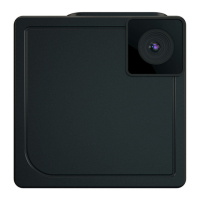
Lens

The camera's primary optical component for capturing images.

Microphone

Captures audio input for video recordings.

Battery Lamp

Indicates the battery's charging or power status.

Shutter Button

Press to capture photos or start/stop video recording.

LED Indicator

Provides visual feedback for current camera modes and status.

Power;Mode Button

Turns the camera on/off and cycles through operating modes.

First Time Use

Mode Settings

Still Capture (Single)

Video Recording

Connect to PC

Smartphone Connection

Usage Notes

FCC Statement

Trademark Information

Learn More and Get Support

Summary

Removing from the box

Function Keys and Interface

Lens

The camera's primary optical component for capturing images.

Microphone

Captures audio input for video recordings.

Battery Lamp

Indicates the battery's charging or power status.

Shutter Button

Press to capture photos or start/stop video recording.

LED Indicator

Provides visual feedback for current camera modes and status.

Power;Mode Button

Turns the camera on/off and cycles through operating modes.

First Time Use

Mode Settings

Still Capture (Single)

Video Recording

Connect to PC

Smartphone Connection

Usage Notes

FCC Statement

Trademark Information

Learn More and Get Support

ION SnapCam LE Specifications

General IconGeneral
BrandION
ModelSnapCam LE
CategoryAccessories
LanguageEnglish