Troubleshooting
Below are some basic troubleshooting scenarios for the de vice. Please contact support
from the place of purchase if you are unable to resolve any issues with de vice
Problem
Unit does not
respond
1. Low battery power
2. Unit is not turned
on
1. Charge the device for at
least 15minutes
2. Check if te switch
selected to the "ON"
position
Keyboard cannot
establish a
connection to the
receiver
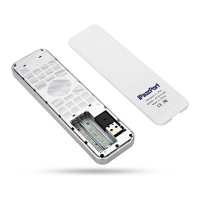
1. The receiver may
not be inserted
correctly
2.Possible wireless
interference with
another device
1. Disconnect and reconnect
the receiver to the USB
port
2. Change the channel of the
device by pressing and
holding the Fn+F1 key for
10 seconds and let the unit
reconnect.
The mouse pointer
moves erratically
and/or
unresponsive
1. Device may not be
within optimal
range of the
receiver
2. Dust or oil on the
touchpad
1. Bring the unit closer to the
receiver.
2. Clean the touchpad with a
damp cloth.
Possible issue
Solution


 To Next Page