Quick Start Guide / Schnellstart Anleitung / Guía de inicio rápido / Quide de Démarrage Rapide / Guida Rapida
English / Deutsch / Español / Français / Italiano
Install Micro SD Card and Record Settings
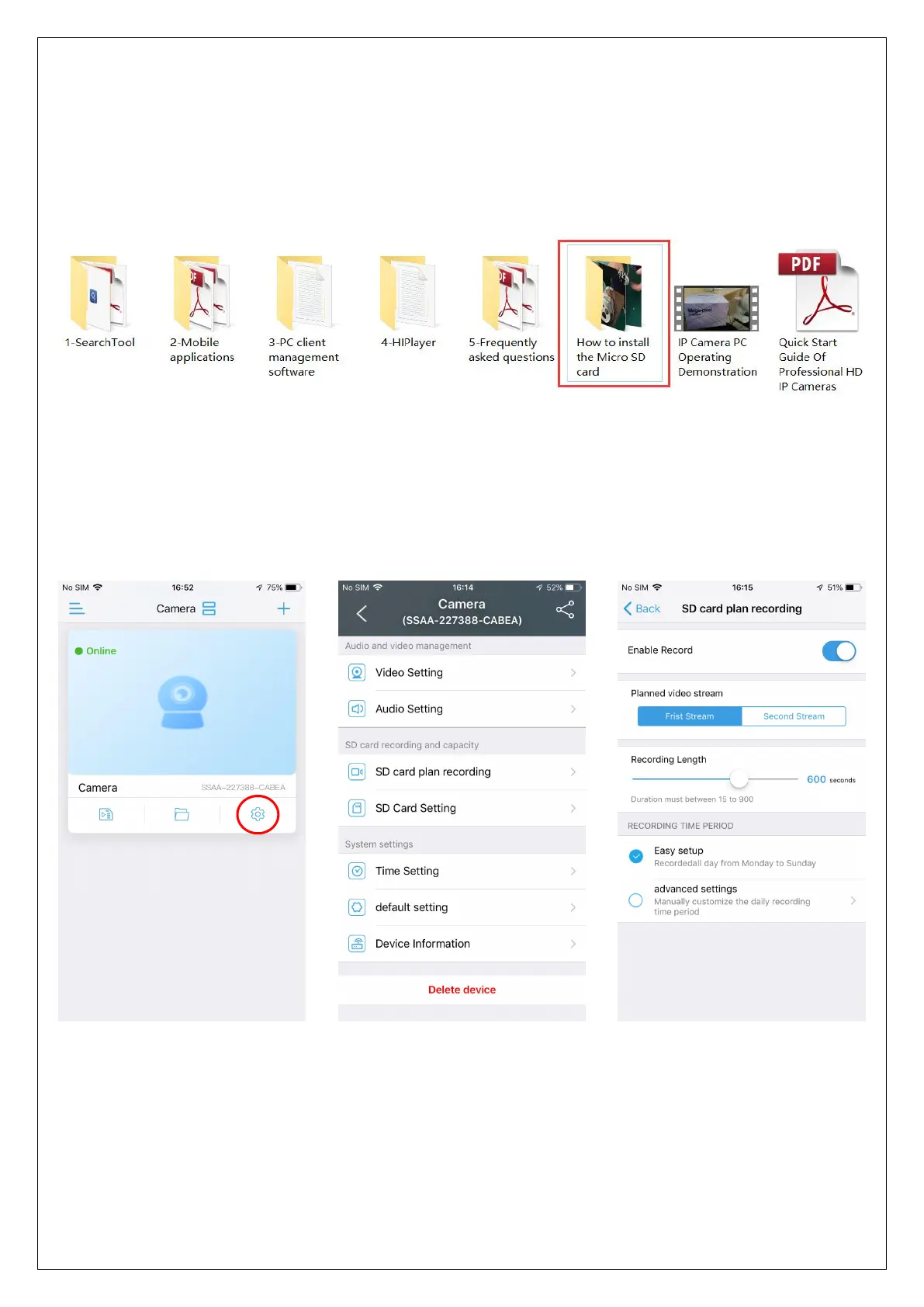
Refer to the installation tutorial to install the micro SD card to the camera, you
can find the installation tutorial in CamHi IP camera product information.
Please make sure your SD card have good quality, otherwise it will fail to record
and even cause the camera to crash.
Set micro SD card plan recording:
Click "Setting" icon button
Click "SD card plan
recording"
The default is always
record,please check



 To Next Page