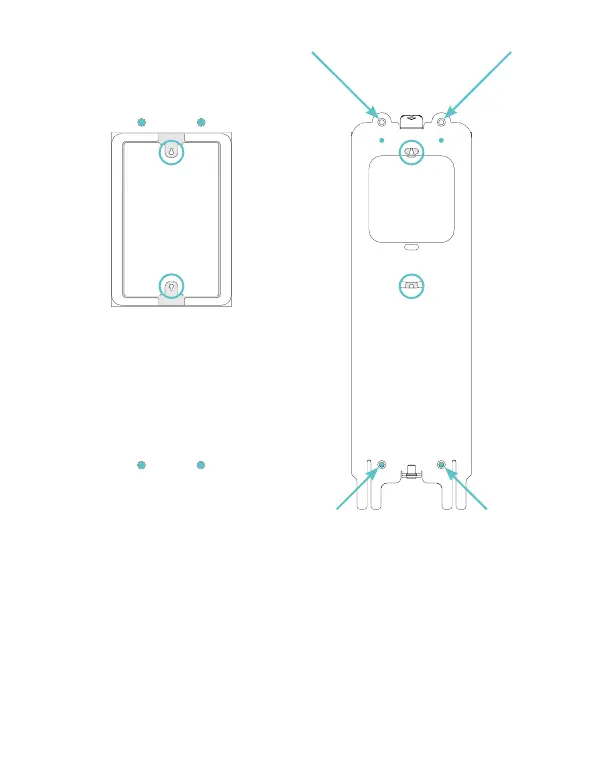
• Coloca la placa de enganche suministrada en la pared.
• Alinea las dos ranuras resaltadas por los círculos azules en la figura
con las torretas de la caja 503.
• Dibuja en la pared las posiciones de los cuatro agujeros resaltados por
las flechas en la figura.
• Place the supplied hooking plate on the wall.
• Align the two slots highlighted by the blue circles in the figure with the
turrets of the 503 box.
• Draw on the wall the positions of the four holes highlighted by the
arrows in the figure.
2.


 To Next Page