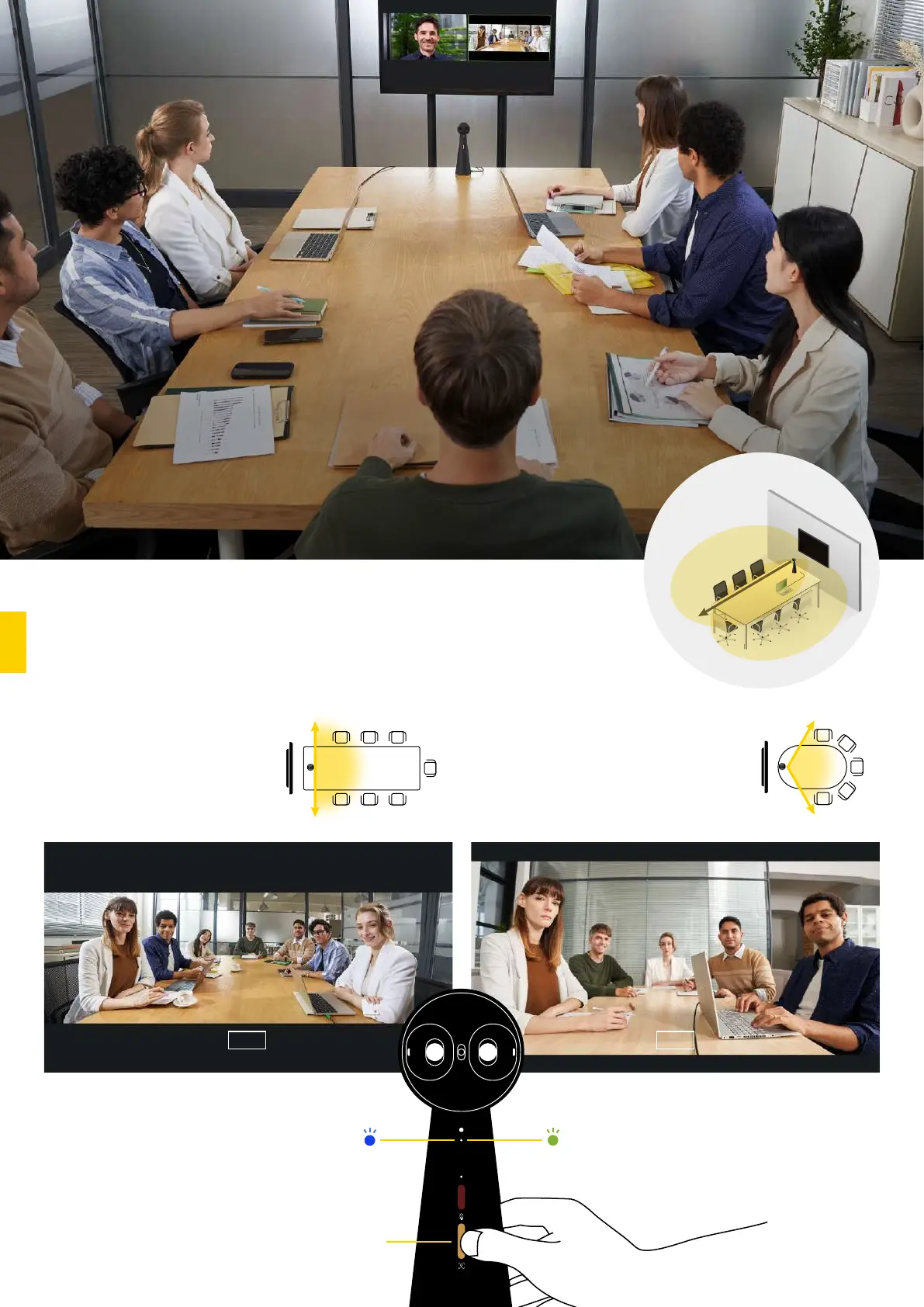
Create a highly efficient and immersive meeting environment and bring teams together in an instant.
Two Camera Modes for
Meetings of Different Sizes
Hybrid Meetings with TOTEM 180
Medium meeting rooms Small groups and huddle rooms
180° mode 120° mode
Switch to the 120° mode to
get a more focused view
when huddling.
The 180° mode delivers a
natural view of the full
meeting room.
LED Blue
LED Green
Tip: Hold the camera mode
button for 3 seconds to switch
between the camera modes.
120°
180°
180° mode
180°
View
120° mode
5 meters
Microphone range
120°
View
1



 To Next Page