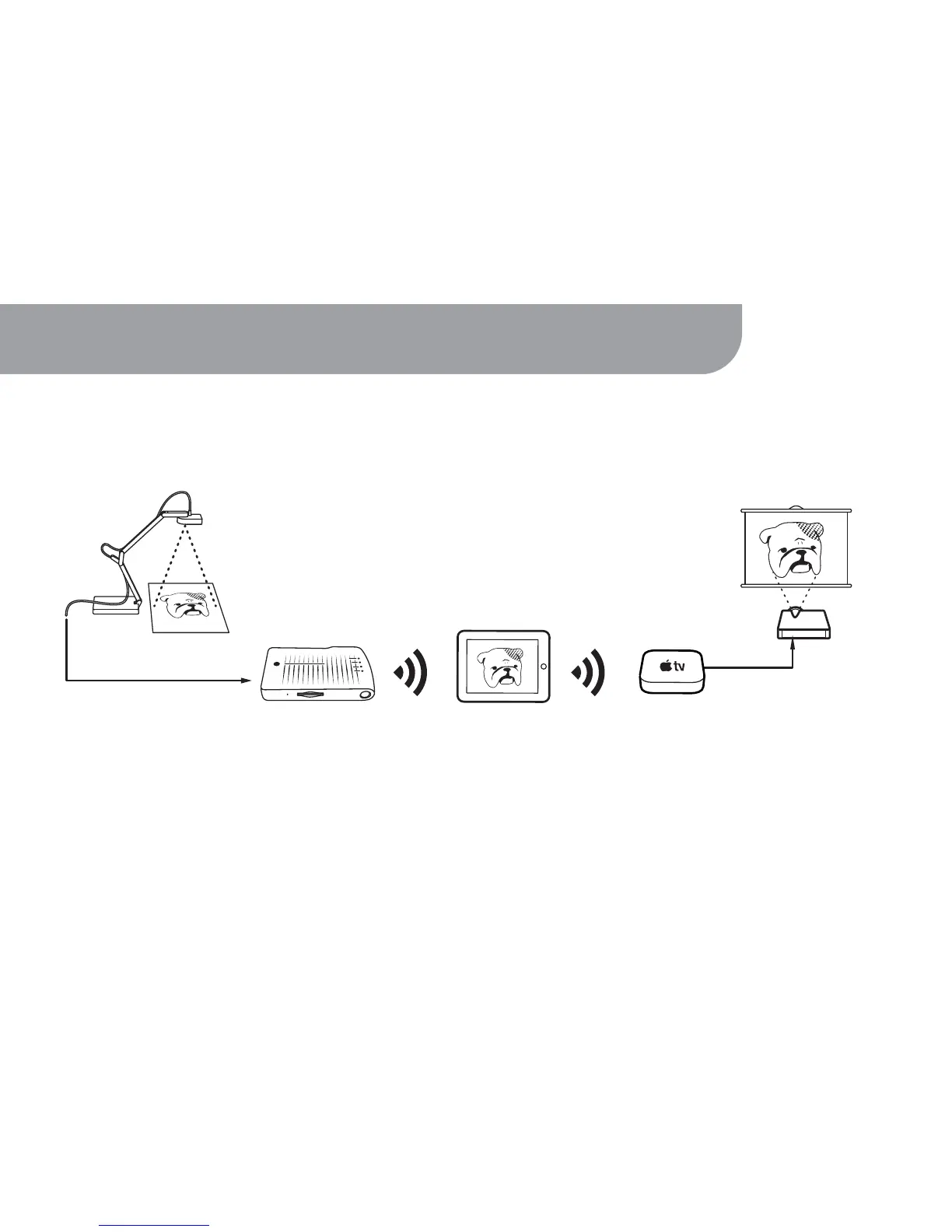
You can use Apple TV Airplay to wirelessly project live action from the IPEVO Whiteboard
onto the big screen.
12. Using Apple TV Airplay
24
Ziggi or P2V
iPad
Apple TV
Projector
WS-01
Follow these steps to project live action from your Document Cam using Apple TV Airplay:
1. Connect your Apple TV device to WS-01. Navigate to Settings > General > Network > Wi-Fi.
2. A list of available wireless networks will appear. Select WS-01's network and enter the password if required.
(Steps continue on next page)



 To Next Page