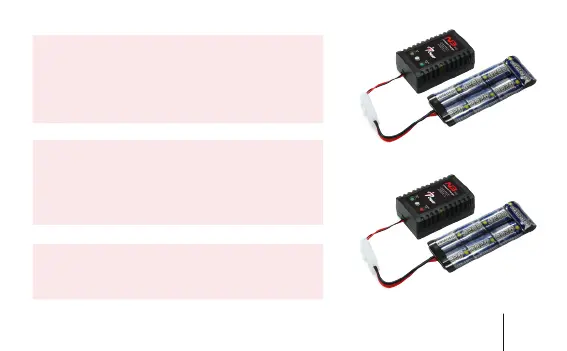
2,Connect charger with power supply, power light
turn ”green” charging light turn “green”,(note: charging
light keep “red” only when charging, it will turn “green”
when there is no battery connect with
charger or battery have been fully charged)
3. Connect battery and charger as instruction,(note: if
battery be connected in reverse, charger can be dam-
aged easily) push “on/off” button start charging.(note:
“on/off” button’s default setting is “off”) Then charger
start with charging model, charging light turn”red”.
4. Charging light turn ”green” when battery were fully
charged, now please stop charging.charging light
turn”red”.
3


 To Next Page