- Page 3 -
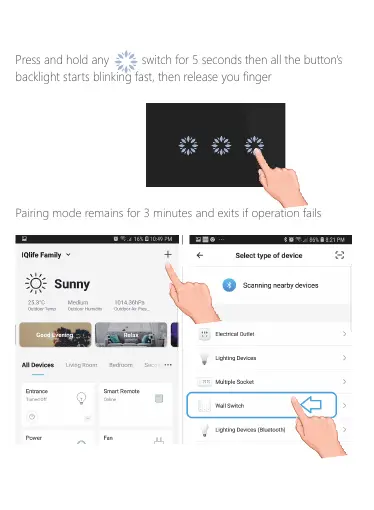
Step 4 : Click on add sign ‘+’
Step 5 : Click on Wall Switch
Press and hold any switch for 5 seconds then all the button's
backlight starts blinking fast, then release you finger
Step 4 : Turning the Switch to Pairing Mode
Pairing mode remains for 3 minutes and exits if operation fails
Exit Pairing mode
Step 5 : Click on + sign Step 6 : Select Wall Switch



 To Next Page