15
• The iRestore should be unplugged prior to any cleaning.
• Use a dry microber cleaning wipe or cloth to clean the device.
• Do not use solvents to clean the device.
• For stains that cannot be removed with a dry cloth, a lightly
water-moistened cloth may be used to clean the device.
• Keep the device away from sunlight and store the device in a dry
location (e.g. away from windows, sinks, bathtubs, kitchens, and
bathrooms) at around room temperature after each use.
• My iRestore is powered on but pressing (start/pause) does not activate the device.
The lasers and lights will not power on unless the electronic sensor detects that the device is positioned
on the users head. This is a built-in safety feature to protect the eyes from direct laser light exposure.
• My iRestore is not powering on.
Attempt to use another wall socket to plug the adapter into and turn on again.
• My iRestore is not lighting up, but my controller is on.
Contact Freedom Laser Therapy to determine if you need to be shipped a replacement unit.
• My iRestore controller doesn’t show the numbers clearly on the timer.
Contact Freedom Laser Therapy to request a replacement unit.
• My iRestore doesn’t turn on right away after I press the (power) button.
Hold for 3-5 seconds and allow iRestore’s internal software to reset itself.
IMPORTANT: The device is designed to include a power failure memory function.If power failure occurs
during a session (power outage, the adapter accidentally comes unplugged, etc.), the device will
remember treatment time. When power is restored and while the device is still positioned on the user’s
head, the device will resume the session automatically. To turn the device off and start a new session at
another time, hold the power button for 3 seconds to turn off the device, then follow steps 1-7, listed above.
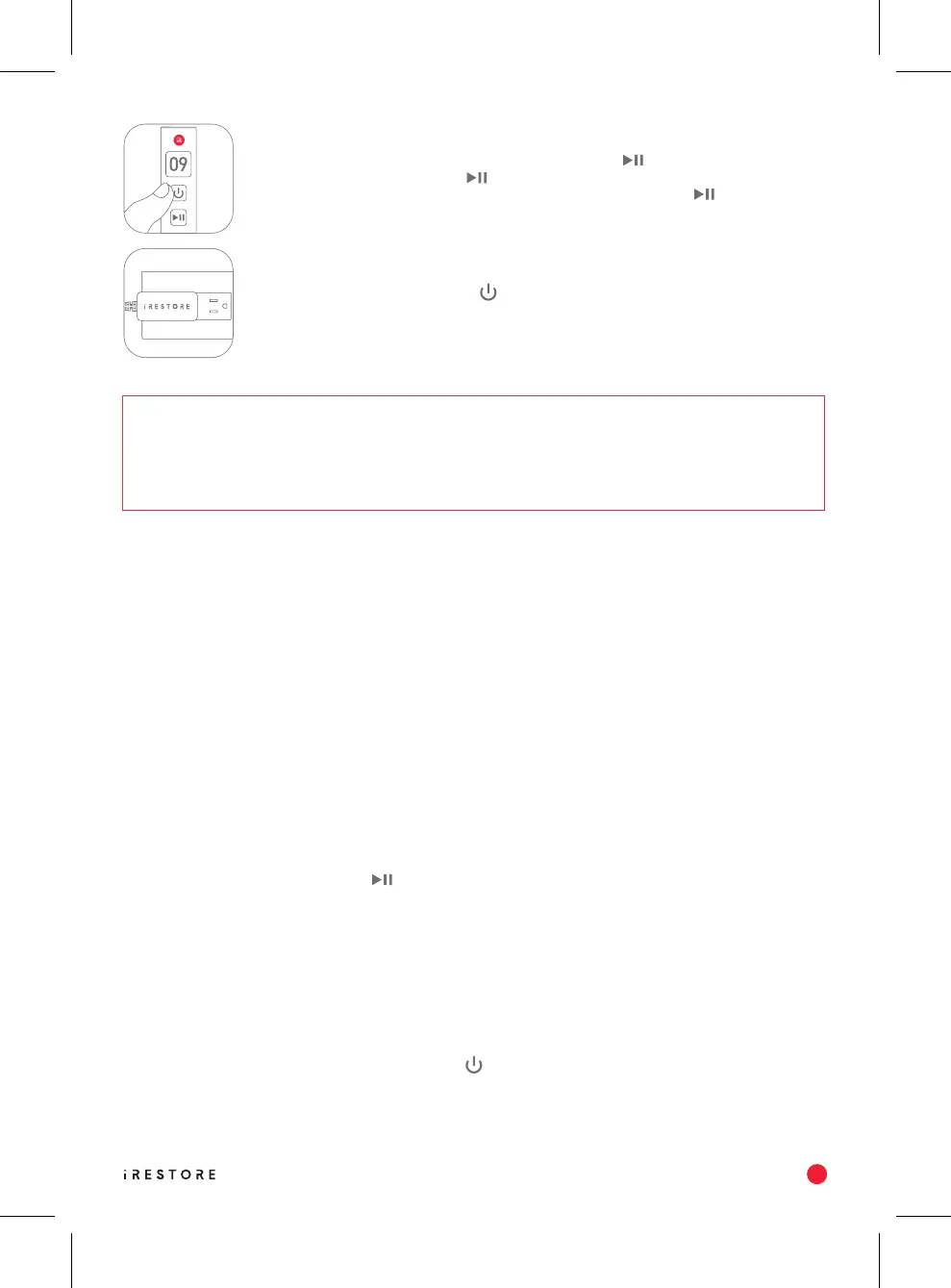
If you need to pause the session at any time, press the (start/pause) button and
the timer will flash. Press the (start/pause) button to resume the session. An
audible “beep” sound will indicate the session has resumed. If the (start/pause)
button is not pressed within 5 minutes during a paused session, the device will turn
off automatically.
To turn off the device, hold the (power) button for 3 seconds. Unplug the power
adapter from the electrical outlet. Pull from the plug and not the cord to avoid damaging
the adapter and cord from tension. The display may remain turned on due to residual
capacitance (leftover charge). It will shut off automatically after several seconds.
Step 6
Step 7
CLEANING INSTRUCTIONS
STORAGE INSTRUCTIONS
TROUBLESHOOTING


 To Next Page