(c)2015 Iris Innovations Limited. All Rights Reserved. v01.00 24/09/15. E&OE
Accessing the Camera
Viewing Live Video:
Once the camera has been correctly addressed and set up on your network, live video can be viewed in two
ways:
Web Browser: Simply launch your Web browser and enter the IP address of the camera.
Installing the IRIS Centre software from the enclosed CD.
Either of these methods will require a login to the camera. The default username to login with is “root” and
the password is “pass”. Please ensure these are both entered in lowercase letters.
Web Browser software:
Once you have the IP address of the newly connected camera, either from your DHCP server or from using
the IRIS Centre Software, you can just type this address directly into your Web-Browser to access the video
from the camera and its features.
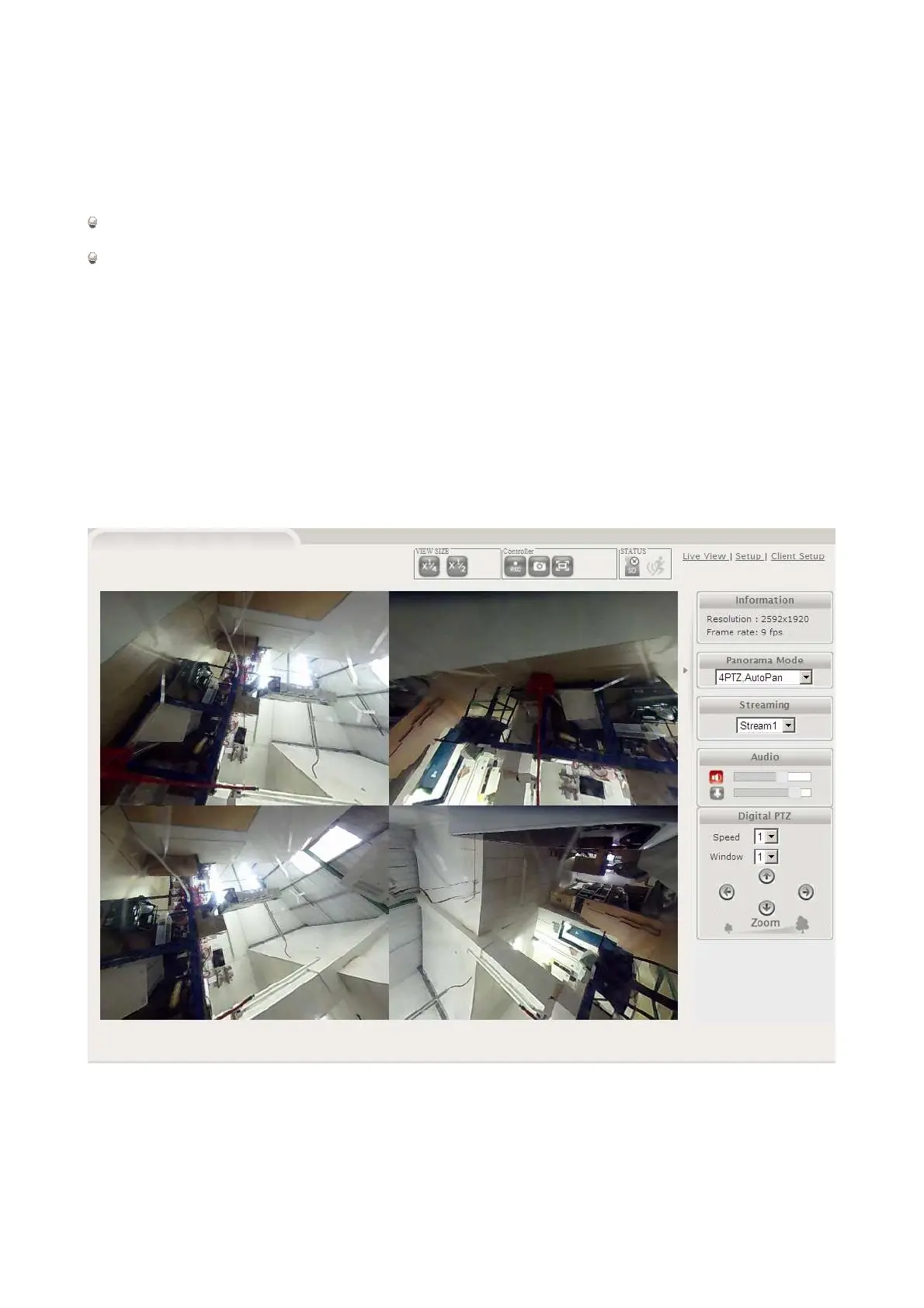
The default video display is a four way “quad” split-screen, and shows four different views from the camera
simultaneously:
The first image will be automatically panning around, but the others can be moved by selecting which view
you wish to change from the “window” selector, and then by using the below arrow buttons to move around
the image.



 To Next Page
 Loading...