13
IIT 1500 English
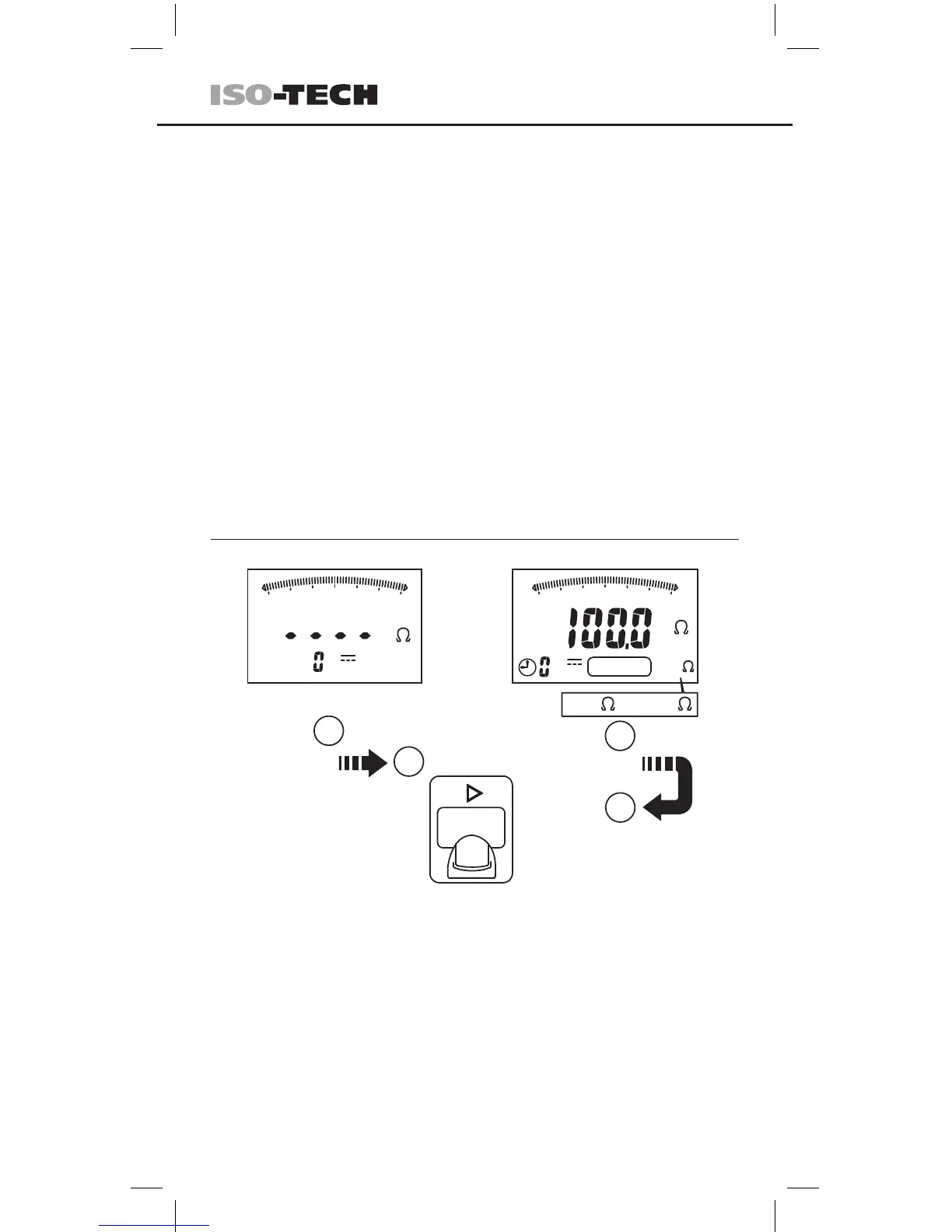
Using the Compare function
1. Before starting the insulation test: Press the COMP button to select the
comparison value from 100kΩ, 200kΩ, 500kΩ, 1MΩ, 2MΩ, 5MΩ, 10MΩ,
20MΩ, 50MΩ, 100MΩ, 200MΩ and 500MΩ.
2. If the measured value is greater than the selected comparison value, the
green PASS indicator will be turned on.
Press ≥ 2Sec
Press
2
2
1
1
100kM
10Gk
M
100Gk
100K
100k
10M
0
100M
COMPARE
100K ......500M
M
100Gk
100M
100kM
10Gk
100k
0
10M
DC
V
COMP
DC
V
2. Press the blue button to display insulation resistance or leakage current
during the test or when the test stops.
3. To start the test, press and hold the TEST button on either the probe or the
instrument. The test will continue until the button is released.
4. Release the TEST button before removing the test leads (to enable the
tester to discharge capacitive circuits). If the screen displays a voltage, wait
until it reaches zero.
5. The tester displays the “>” symbol when the measured resistance is higher
than the maximum value for the range.
6. Lock mode:
Press the LOCK button to enter the Lock Mode.
Press TEST button to start the test.
The test voltage will continue to be applied until the TEST or LOCK button is
pressed again.


 To Next Page
 Loading...