16
IIT 1500 English
Using the RECALL function
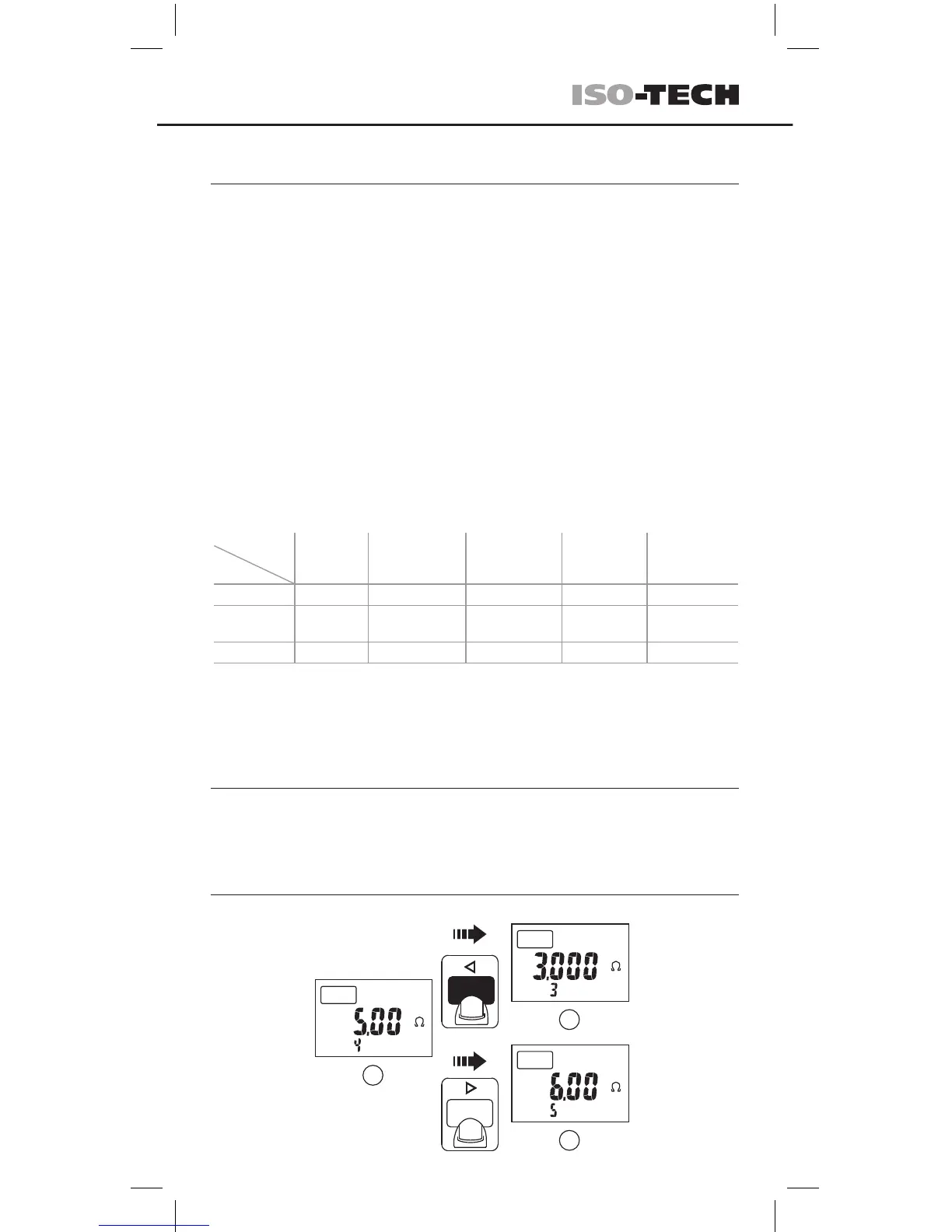
Press the STORE/RECALL button ≥2 sec to enter/exit the RECALL mode.
If the memory is empty, the tester will display the “nOnE” symbol.
Search the stored value under RECALL mode
COMP
Press
Press
1
MEM
M
2
MEM
M
3
MEM
M
Using the STORE function
STORE/RECALL button:
Measurement results can be stored in the tester memory for subsequent recall
to the display.
Press the STORE/RECALL button once to store the voltage value during a
voltage test.
Press the STORE/RECALL button once to store the PI/ DAR, insulation or
resistance value when the individual tests are completed.
The data storage location number the “MEM” symbol will ash twice when the
data is stored.
Note. The memory is divided into ve segments, with each segment able to
store up to a maximum of 100 pieces of data. The method to store the data is
rst in / rst out when the memory is full.
NOTE:
Press the STORE/RECALL button ≥5 sec to clear the stored data.
The display will ash the “MEM” symbol and “ cLr ” twice.
segments
Items
Voltage
Earth-Bond
resistance
Insulation
resistance
50~1000V
DAR PI
1 Voltage Resistance Resistance DAR value PI value
2
Leakage
current
R30-sec R1-min
3 Test voltage R1-min R10-min
The stored values of the individual test


 To Next Page
 Loading...