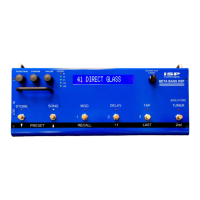
R) Global Function
This function is the last one reached via the FUNCTION knob when in
Preset Mode. Even though it appears within every preset, there is only
one set of these parameters, and they affect all presets equally. To store
changes to these parameters, you must press 2
nd
, then STORE within this
function, before changing back to any other function. You should get in
the habit of checking the DECIM OFFSET and output eq’s to reset them
every time you play in a different room or with different speakers. For the
touring musician, the FOH speakers may change in every different room
you go to. If time permits, you may want ot take the BETA DSP out into
the house, connect it, and adjust the DIRECT OUT EQ settings to your
own preference (or have your tech adjust them from the stage) at the start
of sound check. Just remember changes must be stored, or they will be
lost upon power down.
1. G:TUNER REF (-25 to +25 cent): Changes the reference
frequency of the tuner by the indicated amount. This would
normally be set to zero, but you may want to change it if you
constantly need to tune to a piano that is a little flat or sharp. This
value is also shown on the far right side of the display when the
Tuner function is accessed.
2. G:DECIM OFFSET (-20 to +20 dB): This number is added to the
Decimator THRESHOLD parameter in each preset, thus affecting
the threshold in all presets equally. It is useful for situations where
you are playing with a different guitar or in a different environment,
where you need a temporary change in the decimator threshold,
without having to change decimator settings within individual
presets
3. G: STAGE OUT (STEREO or MONO): When set to MONO, the left
and right STAGE OUTs will be summed and divided by 2. This is
useful when you only have a single speaker cabinet on stage.
4. G:STAGE SPKR SIM (OFF or ON): Typically this would be set to
OFF for using a traditional bass guitar cabinet on stage. But if you
want to use a full range cabinet such as a vocal wedge, or even in-
ear monitors, yet still control their volume via the STAGE OUT
LEVEL on the front of the unit, setting this to ON will route the
INTELLIGENT SPEAKER processed output to the STAGE OUT
jacks.
5. G: DIRECT OUT (STEREO or MONO): When set to MONO, the
left and right DIRECT OUTs will be summed and divided by 2. This
is useful when you only want a mono feed to the front of house.
Note that this will also affect the phones output, since they share
the same pair of DAC channels.
6. G: DIRECT TRIM (-12 to 0 dB): This attenuates the DIRECT OUTs
to prevent input clipping on some mixers.


 To Next Page
 Loading...