Form No. IS211 (Rev. A 02.23.15)
ISSPRO, INC.
•
2515 N.E. Riverside Way
•
Post Office Box 11177
•
Portland, Oregon 97211-1899
503-528-3400
•
800-888-8065
•
Fax: 503-528-3495
www.isspro.com © 2010 ISSPRO, Inc. All Rights Reserved.
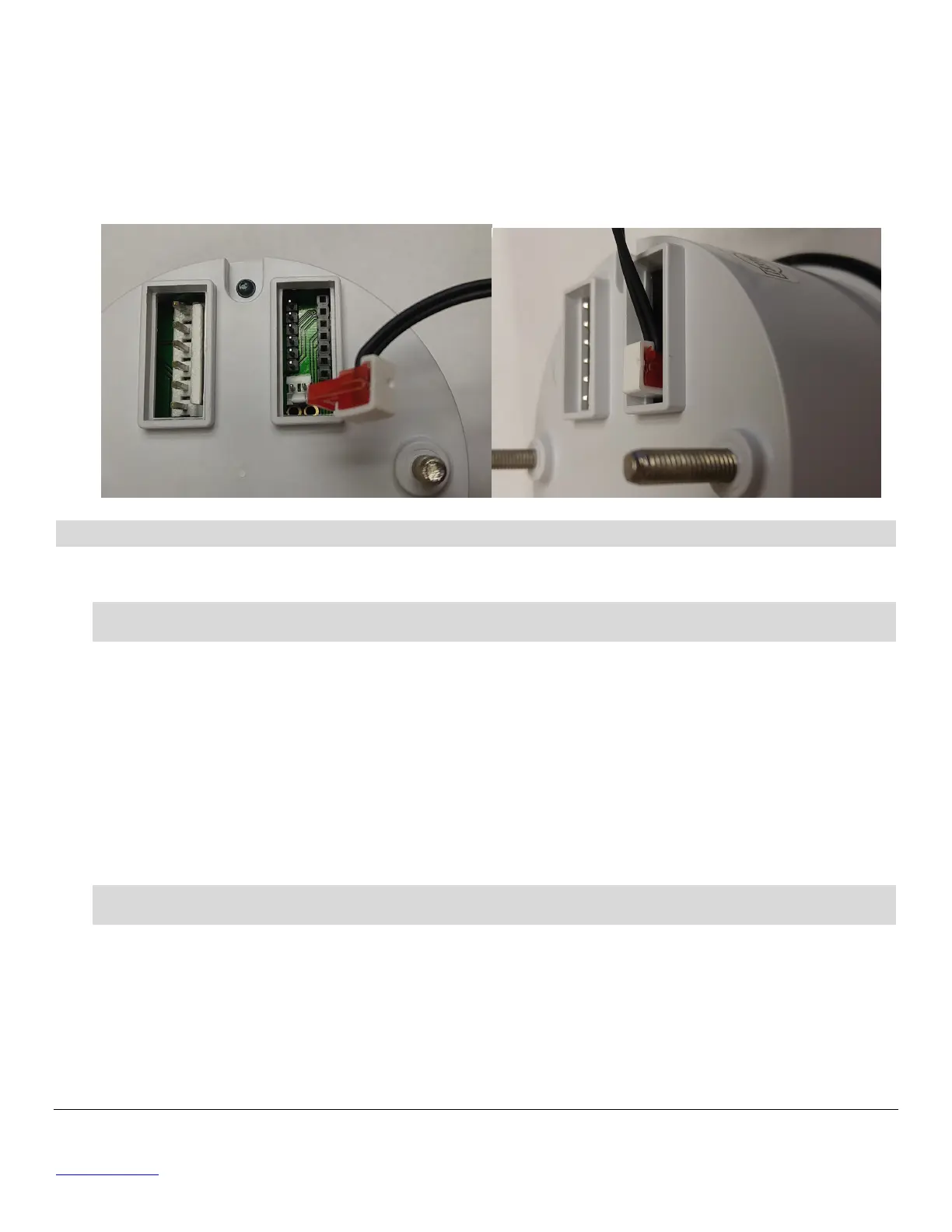
3 An optional remote button & harness R72013 is available for versions with a fully sealed face (no front
pushbutton), to allow use of the trip odometer and programming features. Mount the pushbutton in a
0.625” hole, then route the harness to the mounting hole for the gauge. Insert the harness connector
with the wires pointing upwards onto the gauge connector on the back as shown below. For the
programming steps below the remote button can be used, or you can carefully short the two pins of
the remote programming connector together using a small screwdriver for each button press.
PROGRAMMING
User can program the speed light activation level, backlight curve, calibration, and Hall Effect
compatible sensor.
PROGRAM 1 – SPEED LIGHT ACTIVATION
• Hold down the front button while turning on power to the speedometer. The display will read
“Prog”. Release the button after the pointer moves to zero, the display will change to”SPDL”.
• The Back Light should flash once per second to indicate programming mode. The Speed Light
flashes quickly once, then is off for a period of time to indicate Program 1.
• Press the front button for 1 to 4 seconds to enter this program.
• The Speed Light activation level is indicated by the pointer position and the LCD.
• To increment the flashing digit, press the button for less than 1 second.
To advance to the next digit, press the button for 1 to 4 seconds (next digit starts flashing.)
• Press the button for more than 5 seconds (when the digit stops flashing) to save the value. (To
discard the new value without saving, turn power off and start over).
PROGRAM 2 – BACKLIGHT CURVE (matching the gauge’s dimming curve to the vehicle)
Vehicle dash lights must be on during this procedure to adjust the gauge lights. For best results, this
should be done in a dark environment.
• Hold down the front button while turning on power to the speedometer. The display will read
“Prog”. Release the button after the pointer moves to zero, the display will change to”SPDL”.
• Press the front button for less than 1 second and release.
• The speed light will continuously flash twice to indicate Program 2 and the display indicates
bACL.


 To Next Page
 Loading...