5-36
COMFORT AND CONVENIENCE
Adjusting the Time
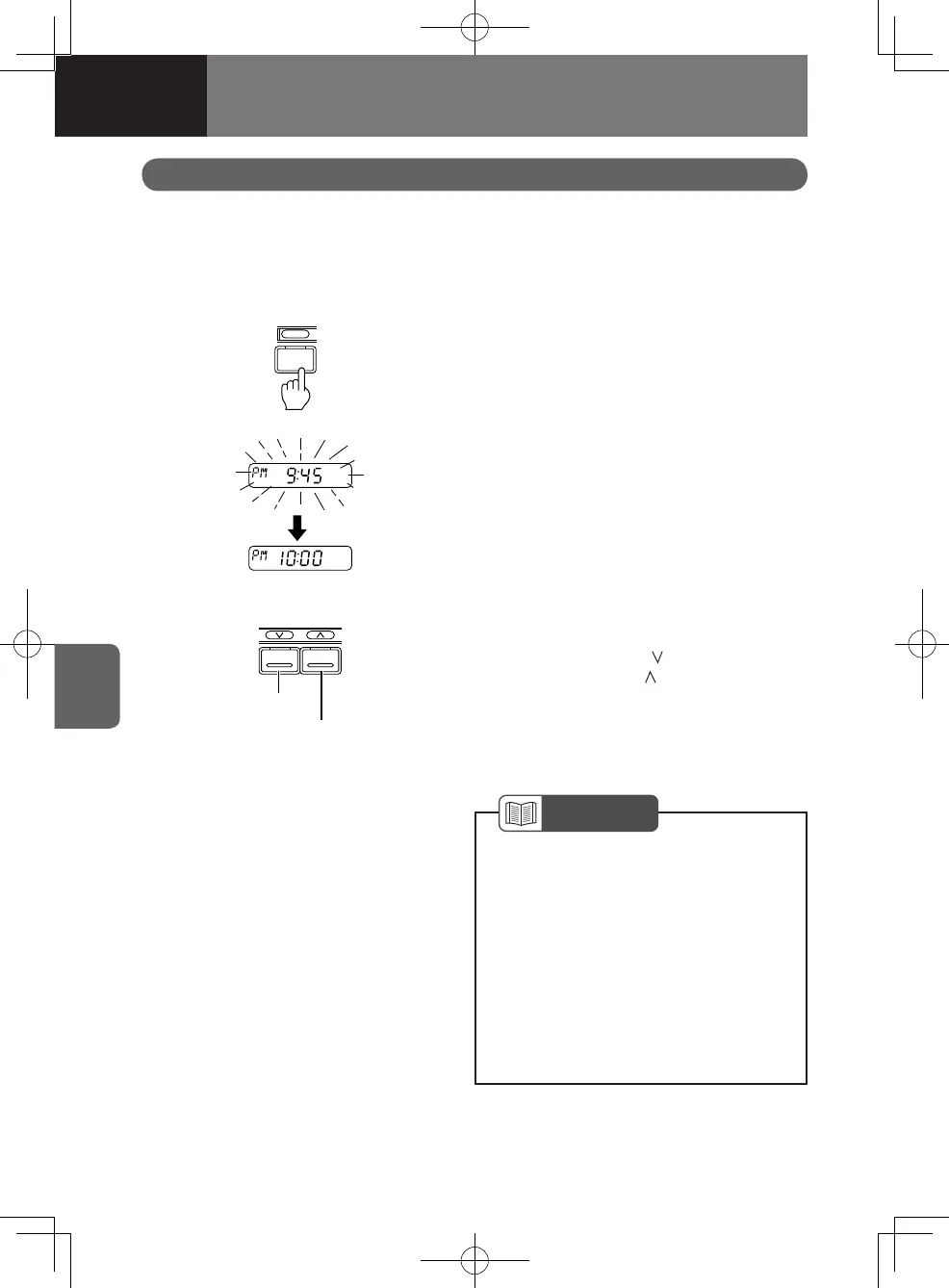
Press the "CLOCK" button for more than 2 seconds. The "time-of-day" indication on
the display will flash, indicating that the time adjusting mode is active.
Time is shown in the 12 hour clock. Afternoon is identified by "PM".
MEMO
Flashes
HM
For minutes
adjustment
For hour
adjustment
Adjusting the Time
While in the time adjustment mode, press
the tuning buttons (the
-marked button
adjusts the hours; the -marked button
adjusts minutes) to change the time.
After adjusting, press the "CLOCK" button
for less than 2 seconds. The adjusted time
will then be set.
NOTE
If the time adjustment operation is
suspended for 15 seconds or more,
the time adjustment mode will be
cancelled. Restart the process from
the beginning.
The time display will flash when the
power supply is disconnected and
then reconnected due to replacing
the battery for example. The flashing
will stop when the time is adjusted.
•
•
Setting the Clock to Time Signal
Press the "MEMO" button to set your clock
to time signal. The currently displayed
time will be reset to the nearest hour. If
the minutes are less than 30, the hour will
remain unchanged. If the minutes are 30 or
more, the hour will advance by one.
4608498sec05COMFORTANDCONVEN5-365-364608498sec05COMFORTANDCONVEN5-365-36 2015/11/0214:11:242015/11/0214:11:24



 To Next Page