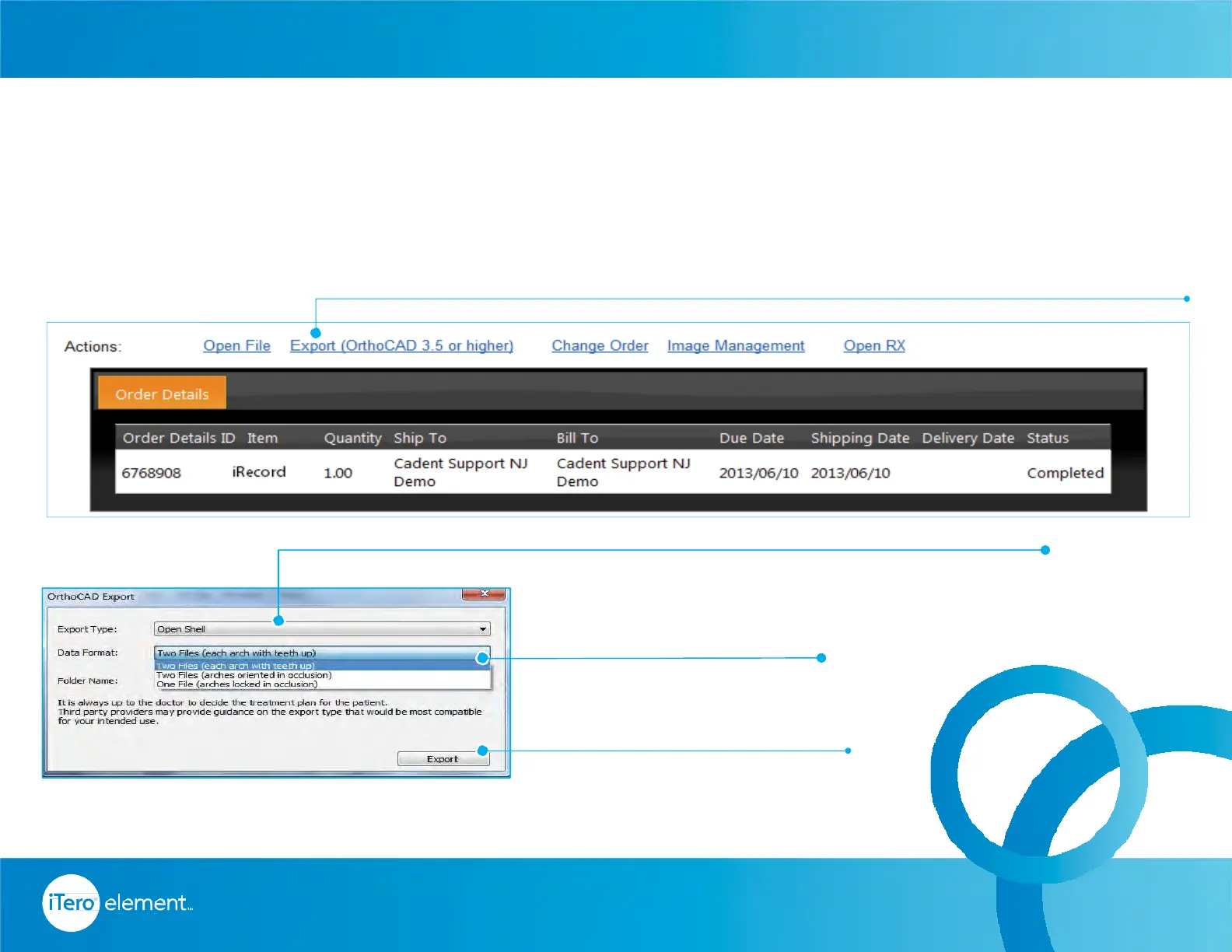
To export STL files from a workstation and send them external parties, follow these steps.
3. Data Format.
4. Export.
1. Click on export.
2. Export type.
68
© 2016 Align Technology, Inc. All Rights Reserved.
To export STL or view model, install OrthoCAD
®
on a workstation.
Call iTero
®
Customer Advocacy at 1 800 577 8767 for instructions.
MYALIGNTECH Exporting STL Files
Resources



 To Next Page