Problem or Damaged Package? DO NOT RETURN TO STORE
Contact us on www.iTouchless.com/contacts/ or
Call toll free 1-844-660-7978 for instructions
TOUCHLESS TRASH CAN
®
MT08RW / MT08RB / MT13RW / MT13RB
OPERATING INSTRUCTIONS
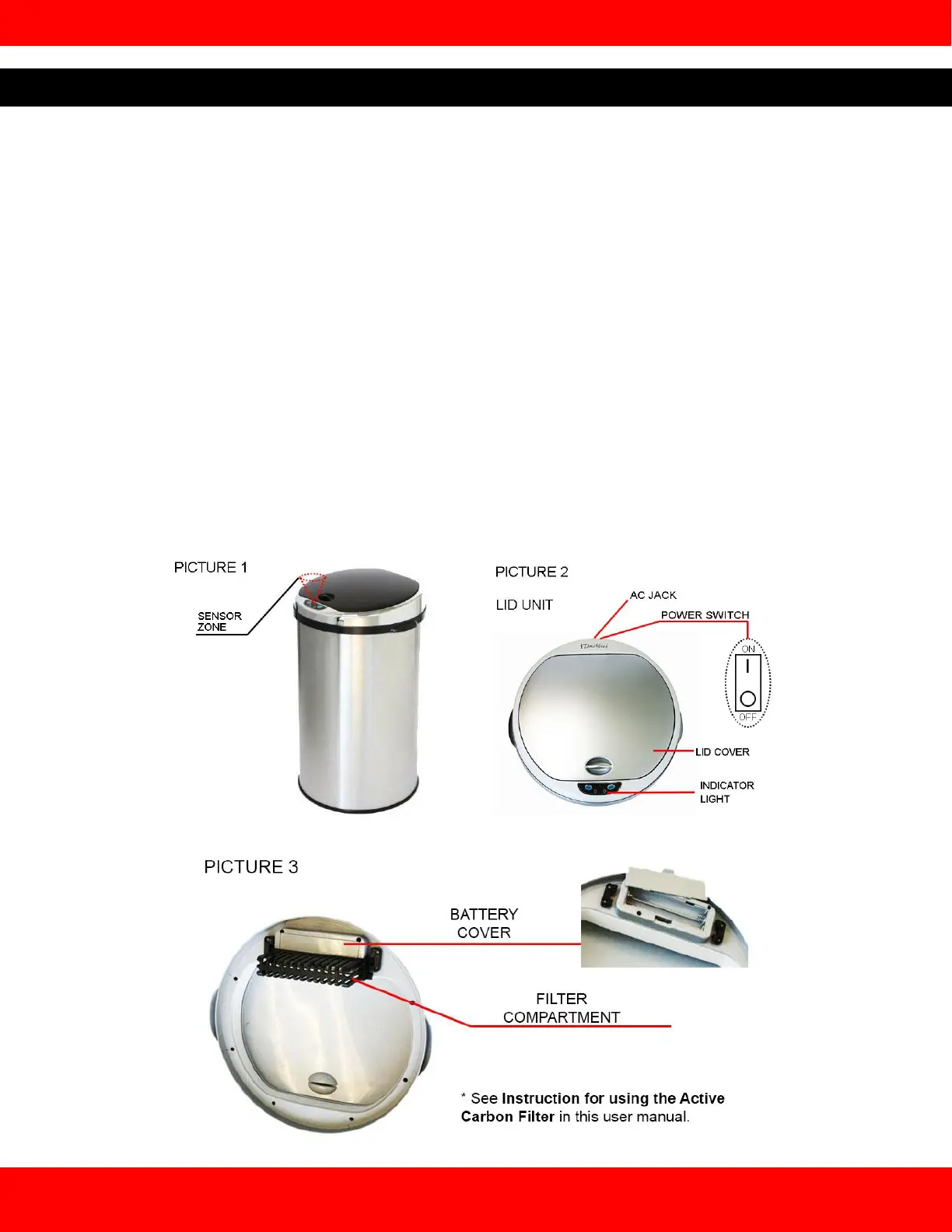
a. Remove Lid Unit (PICTURE 2) from the trash can. Remove Filter Compartment (PICTURE 3) located on the
underside of Lid Unit (see INSTRUCTIONS FOR USING THE ACTIVATED CARBON FILTER. Plug in AC
Adapter or open battery compartment cover to insert 4 "AA" size batteries (not included) according to the marks
of "positive and negative pole". Close battery compartment cover and reattach Filter Compartment.
b. Insert one correct size (13 gallon to 18 gallon) trash bag through Trash Bag Retainer Ring. Wrap the top part of
the trash bag over the Ring (STEP 1), and put the Ring onto the top edge of the can body (STEP 2). Video
instructions at www.itouchless.com/retainer_ring_video.
c. Place Lid Unit onto the can body and make sure it is securely attached.
d. Turn on the power switch on the back of the Lid Unit (PICTURE 2). A red Indicator light will turn on for 3
seconds. It will flash once every 3 seconds to show that the system is on and ready.
e. Place hand or any object 6 inches above Infrared Sensor on the front of Lid Unit to open. When there is an
object in the Sensor Zone, the LED Indicator Light will remain green and the Lid will remain open until object is
removed from the Sensor Zone. Once item is removed from the Sensor Zone, the LED Indicator Light will flash
red to indicate that the lid will close in 6 seconds. If an object is placed back into the Sensor Zone when the
LED Indicator Light is flashing red, the light will turn solid green again and the Lid will remain open.
f. If you press the open button manually, the lid will open and remain open for 5 minutes before closing
automatically – unless you press the close button manually. The trash can will change back to automatic mode.


 To Next Page
 Loading...