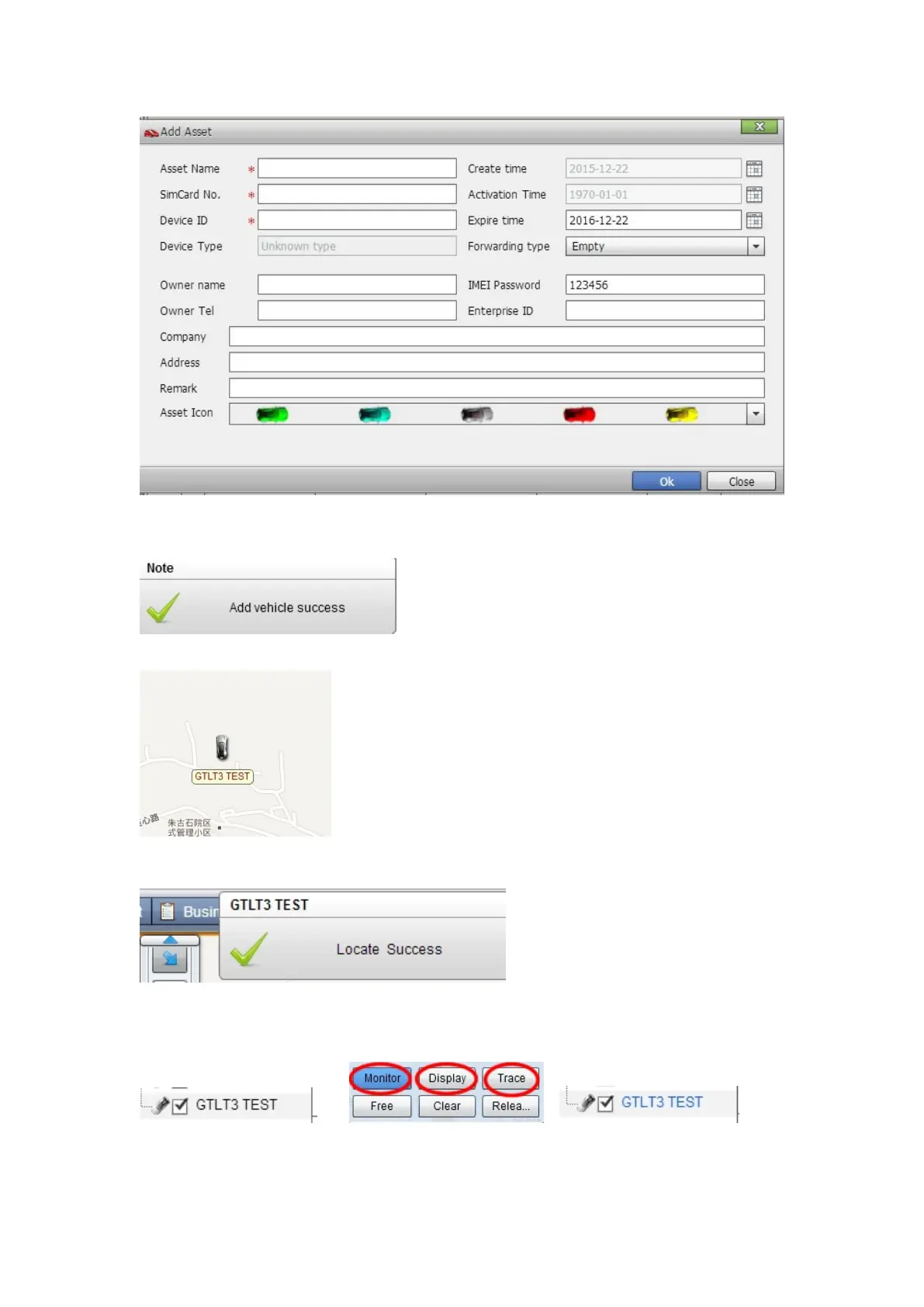
Click "Submit", and then you add the GPS tracker MT-1 successfully on the software 900D.
Wait few seconds, and you will see the GPS Tracker online icon on software
Put a check mark on the device, and right click, you will see the menu as below picture. Now you
can track online.
Attention: For 900D GPS Software, "Monitor" and "Number Plate" must be checked till the
font becomes blue, then the GPS tracker will update location automatically on map.Like
below picture:
Contacts


 To Next Page