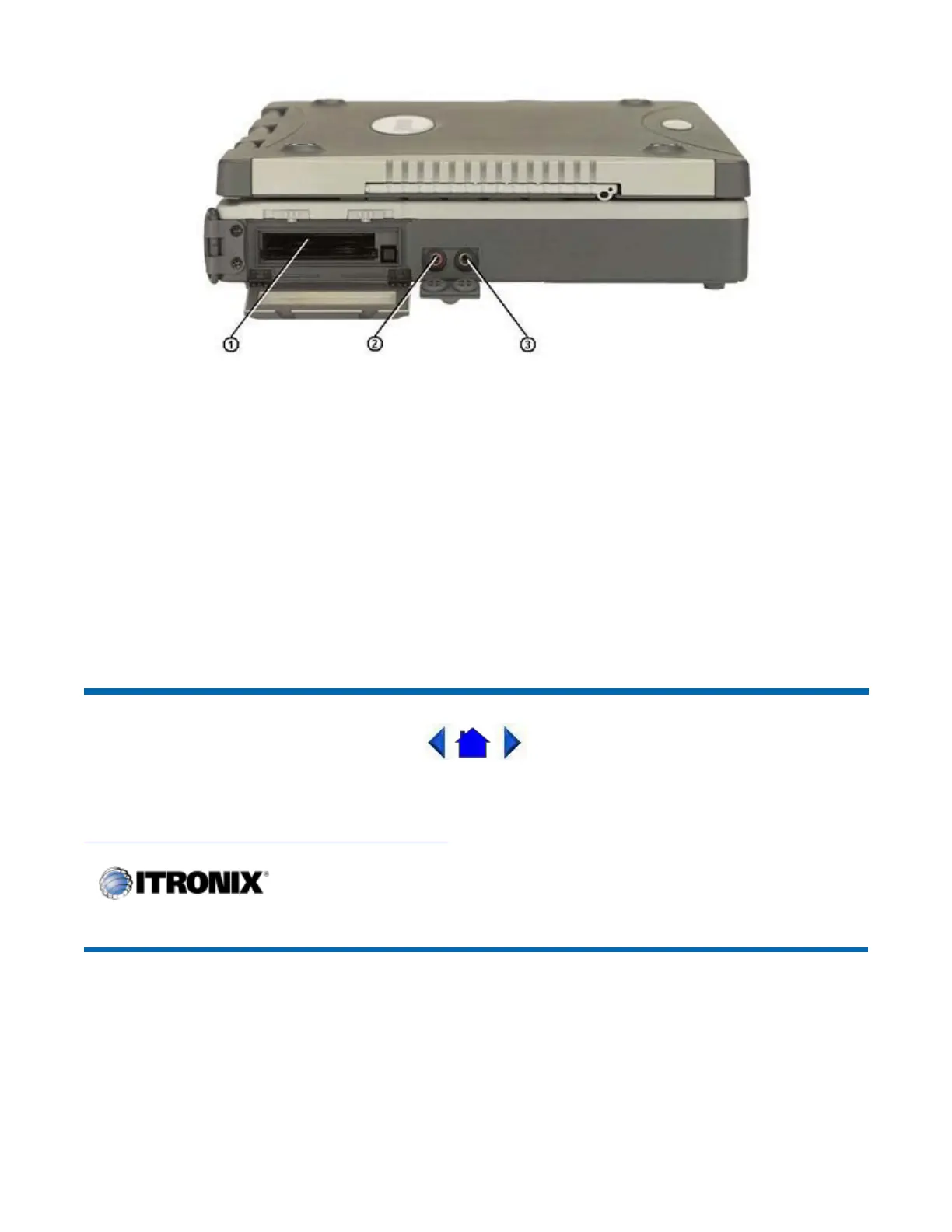
1 PC Card Slot
Use this slot to connect PCMCIA-card devices.
2 Microphone Jack
Connect a microphone to this jack to record audio.
3 Audio-Out Jack
Connect external speakers or a stereo headset to this jack to listen to multimedia.
72_0119_001
28 June 2004
© 2004 Itronix Corporation. All rights reserved.
Right Side Connector
Hover the mouse over the number on the
icture to see a descri
tion.
GoBook III
®
Help
Pa
e 26 of 80GoBook III Hel
7/5/2004file://C:\Documents%20and%20Settin
s\harwoodm.ITRXNT1\Local%20Settin
s\Tem
\~h...



 To Next Page