19
Section 2. Getting Familiar with Your Computer
77-0100-001 12 September 2000
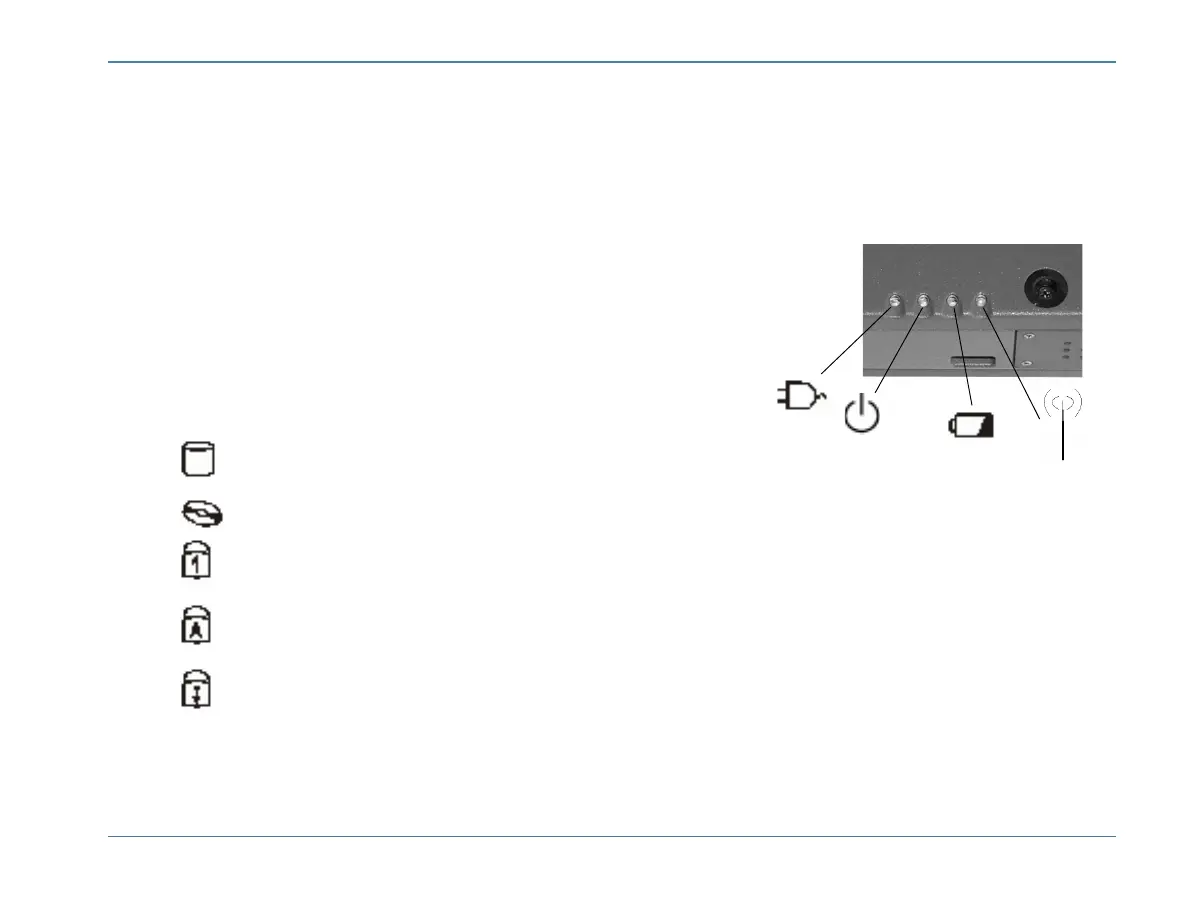
LED Activity Indicators
The activity indicators above the keyboard and below the touchpad light up when a particular function of the
computer is active. Each indicator is marked with a symbol.
Icon Function Description
HDD The computer is accessing the hard disk.
CD-ROM drive The computer is accessing the CD-ROM, the DVD-ROM, or the Floppy drive.
Number Lock The keyboard is in Num Lock mode.
Caps Lock The keyboard is in Caps Lock mode.
Scroll Lock The keyboard is in Scroll Lock mode.
Need new Picture
of LED Indicators!



 To Next Page