2.6
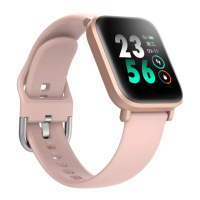
Wear Your Watch
2.5
Connect Your Watch
After downloading, open the app and register an account, fill in your personal
information (height, weight, date of birth) truthfully, and then complete the connection
according to the operation instructions on app.
Note:
1. In order to connect the watch to your phone successfully, you need to turn on the
Bluetooth of your phone and connect to your device through the app.
2. The Zeroner Health Pro App on the Android phone needs to be given permission to
access your location, otherwise the device may not be searched.
3. The first time you connect to the Zeroner Health Pro App, the date & time on your
phone will be synchronized to the watch, and previous data for steps, calories &
distance on the watch will be cleared.
1. For optimized tracking of the measured values, we recommend wearing the
device with one finger's width below your wrist bone.
2. Please make sure the device is fairly snug against your skin and does not slide up
or down your wrist during exercise.


 To Next Page