EasyManua.ls Logo

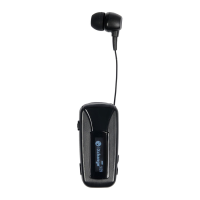
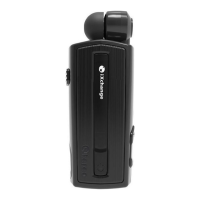
iXchange UA-51Pro - User Manual

iXchange UA-51Pro
4 pages
Print Icon
To Next Page IconTo Next Page
Loading...
Bluetooth 
LCD Application 
iXchange UA51Pro
Overview:
ichange 
 iXchange   
H LCD 
  
 

Bluetooth iXchange UALCD 





 







Question and Answer IconNeed help?

Do you have a question about the iXchange UA-51Pro and is the answer not in the manual?

Summary

Features

Bluetooth v5.1

Specifies the Bluetooth version and support for Bluetooth Low Energy.

Supported Profiles

Lists the Bluetooth profiles supported by the headset for various functions.

Operating Range

Indicates the maximum wireless distance for Bluetooth connectivity.

Operating Temperature

Defines the acceptable temperature range for the device's operation.

Charging Time

Specifies the approximate duration needed to fully charge the headset.

Talk Time

Indicates the maximum duration the headset can be used for calls.

Music Playback Time

Indicates the maximum duration the headset can play music.

Standby Time

Specifies the maximum duration the headset can remain on standby.

Battery Capacity

Indicates the capacity of the headset's internal battery.

Retractable Mechanism

Explains how to extend and retract the earphone cord.

Device Components

Description of Parts

Lists and labels all physical components of the headset for identification.

Using the Device

Powering On and Off

Instructions on how to turn the headset on and off using the multifunction button.

Answering and Rejecting Calls

Methods to accept or decline incoming calls using the multifunction button.

Volume Adjustment

Procedure for increasing or decreasing the audio volume.

Music Playback Control

How to play, pause, skip tracks, and view song information.

Safety Precautions

Important safety guidelines to follow when using the headset.

Maintenance

Recommendations for proper care and upkeep of the headset.

iXchange UA-51Pro Specifications

General IconGeneral
Connectivity TechnologyWired
Form FactorOver-Ear
Impedance32 Ohms
Frequency Response20Hz - 20kHz
MicrophoneYes
Driver Size50 mm
Microphone TypeOmnidirectional
Connection3.5mm jack
Cable Length2.2m
Weight300g

Related product manuals