ROLLER
Press arrow keys to select
Refresh:Focusing on tight and sore muscles,it helps to relieve waist,back and neck
pain.
Lower Auto/Lower Auto:Choose the target zone as
desired.
Boss Nursing:Delivers an intense massage focusing on
relieving sore and tension in the neck and shoulders,
bringing utmost relief and comfort for users who spend
long hours at desk.
Queen Slimming:Adopts mild massage techniques to
relax muscles in the back and waist,helping to shape body
figure and promote metabolism.
Soul Spa:Designed for morning or midday relaxing,it
helps to boost the viability of muscles.
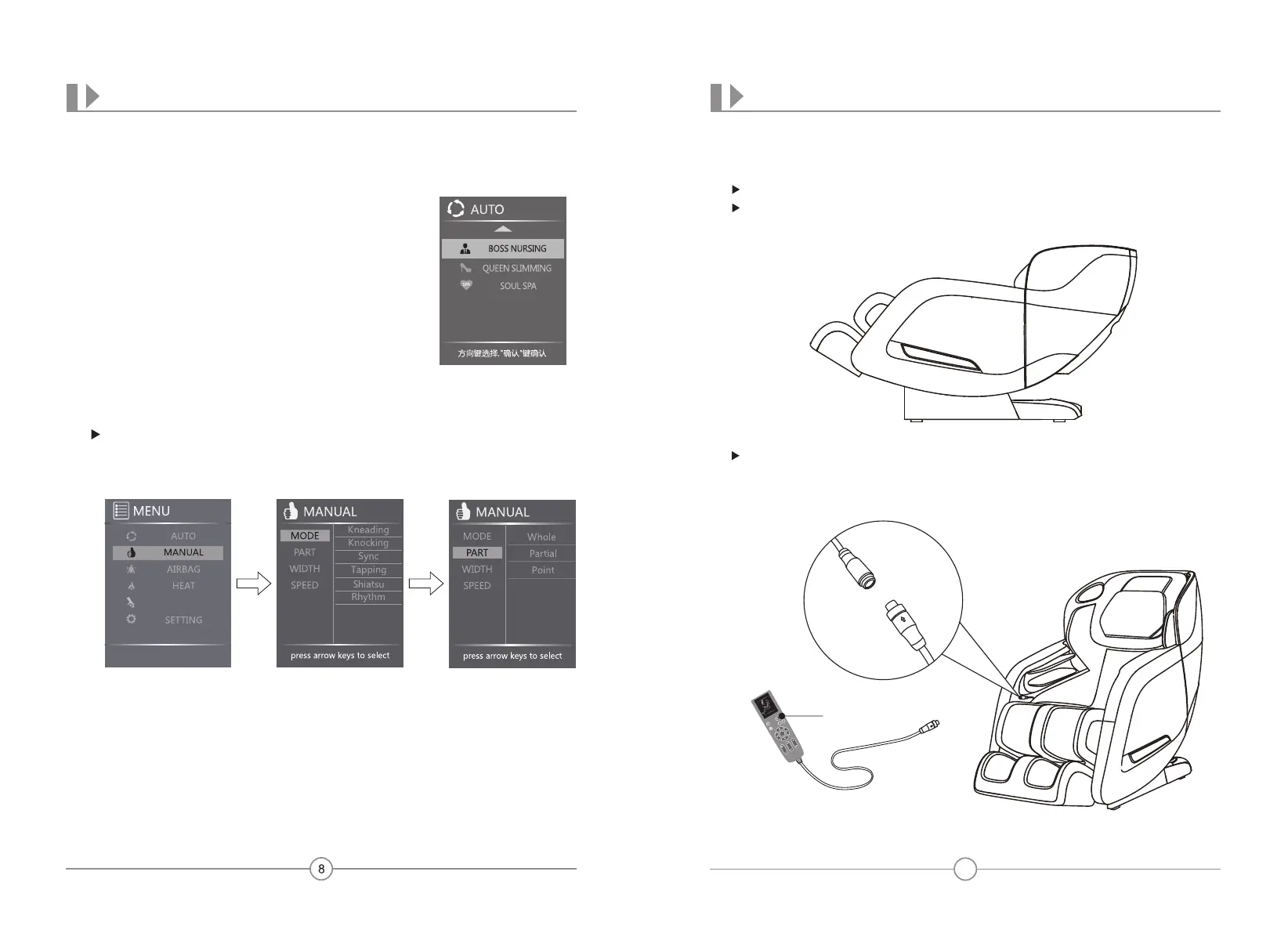
Press MANUAL from MENU display,press Up or Down button to navigate among:
MODE,PART,WIDTH,SPEED.
Massage Mode:Press MODE from MANUAL display,press Right button then
press UP or DOWN button to navigate among:Kneading,Knocking,Sync,Tapping,
Shiatsu,and Rhythm massage techniques.Press OK button to enter the setting you
desire.Selected mode will show on the home screen.
Back Mechanism Massage Part:Press PART from MANUAL display,press Right
button then press Up or Down button to navigate among:Whole,Partial and Point
massage zones.Press OK button to enter the setting you desire.Selected setting will
show on the home screen.
MANUAL PROGRAM
NAME AND FUNCTION OF EACH COMPONENTS
Installation Method
Step 1:
Step 2:Install the controller unit
Take all massage chair units out of the cartons
Unpack the cartons:take out all upholstery unit,accessories out of the cartons.
Before beginning installation,please verify that all components are included
(check with the packing list carefully)
Take the controller unit out of the accessories box;
Connect the data line of the controller to the port to the lower inner side of the right
armrest(pay attention to the convex and concave of the connector and port),then tighten
the screw cap clockwise.(Check the illustration below for reference)
Controller Component
PRELIMINARY CHECKS
13
ROLLER
Press arrow keys to select
Press AIRBAG from MENU display to show the AIRBAG display,press Right
button then press Up or Down button to navigate between:PART-Air pressure
region and Force-Air pressure intensity,Press OK button to enter the setting you
desire.
Part-Air pressure region:Press PART from AIRBAG display,press Right button
then press Up or Down button to navigate among: Full,Arm&Shoulder,Leg&Foot,
airbag positions.Press OK button to enter the airbag position you desire.
Force-Air pressure intensity:Press FORCE from AIRBAG display,press Right
button then press Up or Down button to navigate among: level 1,2,3,4,5 airbag
intensity, or OFF (deactivate airbag intensity function),Press OK button to enter the
airbag setting you desire.
Back Mechanism Massage Width:Press WIDTH from MANUAL display,press
RIGHT button then press Up or Down button to navigate among:Width,Medium
and Narrow mechanism roller width.Press OK button to enter the setting you desire.
Selected width will show on the home screen.
Mechanism Massage Speed:Press Speed from MANUAL display,press Right
button then press Up or Down button to navigate among: level 1,2,3,4,5,6 Mechanism
massage intensity. Press OK button to enter the intensity level you desire.
AIRBAGS
NAME AND FUNCTION OF EACH COMPONENTSPRELIMINARY CHECKS
Homescreen Display With The Auto Program Running
Homescreen Display With The Manual Program Running
Tips:
1.In the process of Auto or Manual Setting,LCD screen will auto revert back to the
homescreen after 10 seconds if there is no operation entered into the remote control.
TIPS
Do not disassemble this product yourself to avoid product failure.
Make sure no water or other liquid enters into the controller to avoid fault.
Do not pinch or squeeze the controller or power cord.
CAUTION
12
While appliance is running.press twice MENU button to revert to homescreen.
Under the homescreen display, press Left or Right button to adjust the airbag
intensity(works in the process of both Auto and Manual program);
Press Auto button to select auto massage program.
EXTEND


 To Next Page
 Loading...