
 Need help?
Do you have a question about the J.Burrows JB21UNISTY and is the answer not in the manual?
Identifies key parts: Capacitive Fabric Writing Cap, Micro USB Charging Port, On/Off Switch, Indicator Light, and spare/replaceable tips.
Lists specific iPad models and OS versions that the stylus supports for optimal functionality.
Instructions for activating the stylus, using the writing tip, and palm rejection features.
Details on using the stylus with the capacitive cap for drawing and writing on screens.
Procedure for charging the stylus via USB, including indicator light status and charging time.
Step-by-step guide on how to detach and attach replacement stylus tips securely.
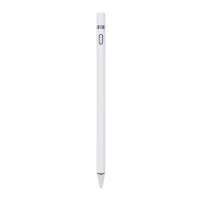
The J.BURROWS 2-in-1 Universal Stylus, Model No. JB21UNISTY, is a versatile writing and drawing tool designed for use with specific iPad models. This stylus offers a dual functionality, allowing users to interact with their devices through either a precise writing tip or a capacitive fabric cap.
The primary function of the J.BURROWS stylus is to provide a more natural and precise way to write, draw, and navigate on compatible iPad screens. It features an active writing tip for detailed work and a passive capacitive fabric cap for broader interactions, offering flexibility depending on the user's needs.
To activate the stylus with the writing tip, users simply press the On/Off switch once. A blue indicator light will illuminate, signifying that the stylus is active and ready for use. A key feature when using the writing tip is palm rejection. This technology allows users to rest their hand on the iPad screen without interfering with the stylus's input, mimicking the natural feel of writing on paper. This significantly enhances comfort and precision during extended use, preventing accidental marks or gestures from the palm. The stylus is equipped with a built-in battery-saving feature that automatically turns off the device after 30 minutes of inactivity, helping to conserve power.
The writing tip is designed for precise input, making it ideal for note-taking, sketching, and detailed drawing. It offers a smooth and responsive experience, allowing for fine lines and accurate strokes.
For situations where less precision is required, or for general navigation, the stylus can be used with its capacitive fabric cap. To switch to this mode, the stylus must first be turned off. Then, the user simply turns the stylus upside down, ensuring the capacitive cap is attached. This cap allows for interaction with iPhone or iPad screens, providing a softer touch for tasks like scrolling, tapping, or basic drawing. It's important to note that the palm rejection feature is not available when using the capacitive cap. Additionally, some applications might not fully support handwriting features when the capacitive cap is in use.
The J.BURROWS stylus is specifically designed to work with a range of iPad models, including:
For optimal performance, the iPad must have iPad OS 13.4 or later installed. A crucial point for users with existing Apple Pencils is that if an original Apple Pencil is already paired with the iPad, it must be unpaired from the iPad's Bluetooth connection before the J.BURROWS stylus can be used. This ensures proper functionality and avoids conflicts between the devices.
The stylus is equipped with a Micro USB charging port. To charge the device, users need to remove the magnetic cap located at the end of the stylus. The included 30cm Micro USB charging cable can then be plugged into the charging port and connected to a working USB power source. During charging, the indicator light will glow red. Once the stylus is fully charged, the indicator light will turn green. After charging, the magnetic cap should be placed back onto the stylus to protect the charging port from dust and foreign debris.
The writing tip of the stylus is replaceable, ensuring the longevity and continued precision of the device. To replace a worn-out tip, the user twists the existing tip counter-clockwise to remove it. A new replacement tip can then be inserted and twisted clockwise to secure it in place. This simple maintenance step allows users to easily maintain the stylus's performance without needing specialized tools or professional assistance. The package includes a spare writing tip, providing immediate replacement capability.
To ensure the stylus remains in good working condition, it is important to follow some general care guidelines. The device should not be exposed to rain or moisture to prevent fire or shock hazards. For any internal issues or electrical concerns, users are advised not to open the cabinet themselves but to refer to a service agent or a qualified engineer. This prevents potential damage to the device and ensures safety.
The J.BURROWS 2-in-1 Universal Stylus is a user-friendly and practical accessory for iPad users seeking an enhanced digital writing and drawing experience. Its dual functionality, palm rejection feature, and easy maintenance make it a valuable tool for various tasks, from creative endeavors to everyday note-taking.
 General
| Accessory Type | Stylus |
|---|---|
| Brand | J.Burrows |
| Model | JB21UNISTY |
| Colour | Black |
| Product Type | Universal Stylus |
| Compatibility | Universal |
| Tip Material | Rubber |
| Length | 14 cm |
| Diameter | 0.9cm |

 To Next Page