G
G
G
13 /15
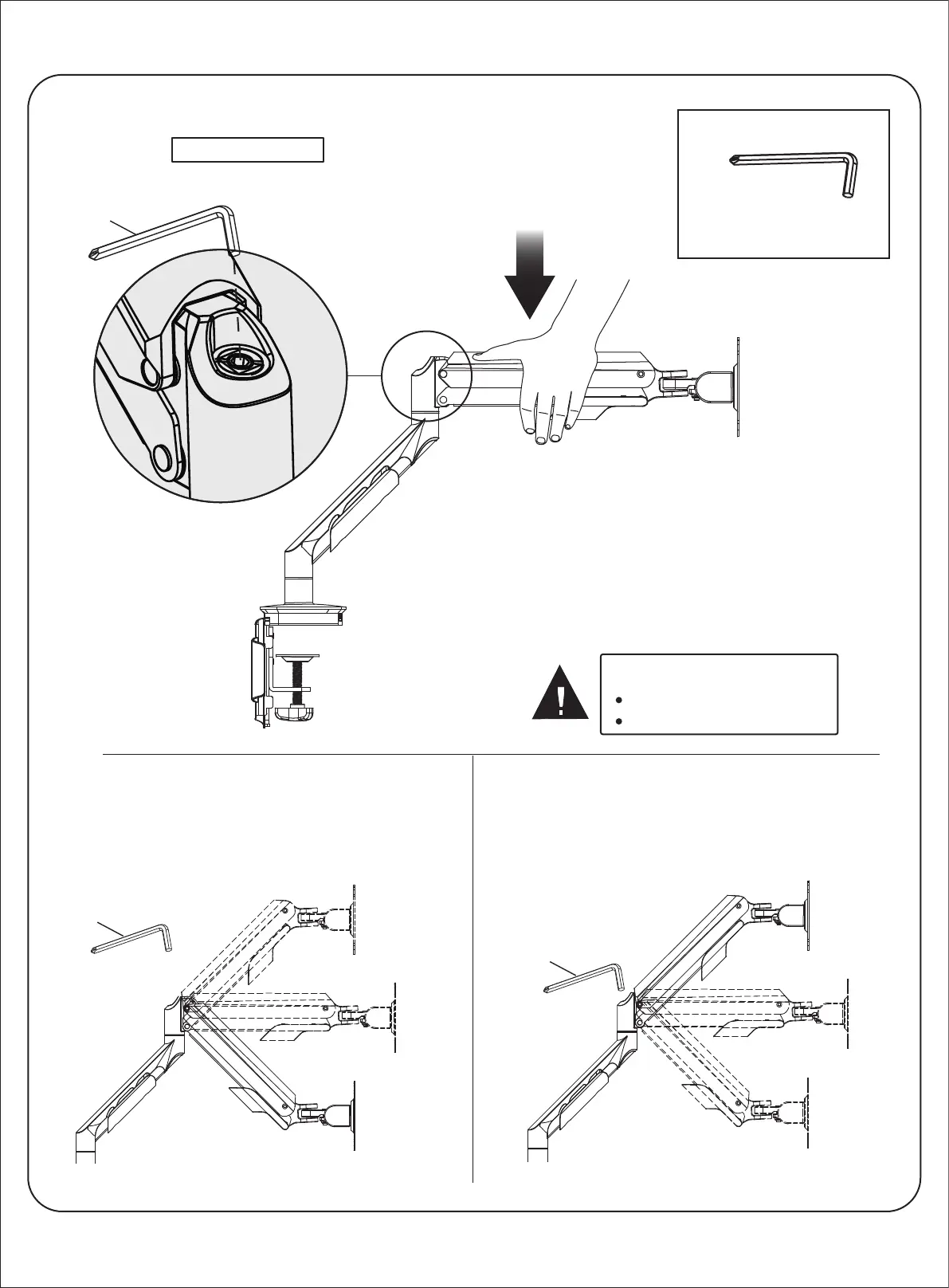
Adjust the monitor
G
1pc 5x5 Allen key
Step 9b
Monitor must be on the arm
Arm must be in mount
CAUTION
If the monitor is lighter than 4-5 kg, the arm drifts upward.
Insert Allen Key (G), turn the tension screw clockwise (-).
If the monitor is heavier than 4-5 kg, the arm drifts
downwards.
Insert Allen Key (G), turn the adjustment screw
counter-clockwise (+).
Adjusting arm to monitor weight
Weight tension is pre-set at 4-5 kg.
If the monitor weighs more or less than that,
press the arm down to a position parallel
with the desk prior to adjusting the weight.
-
+


 To Next Page