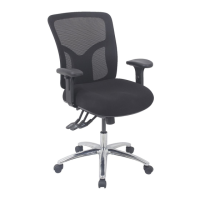
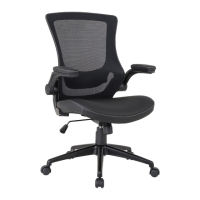
The J.Burrows Typhoon Pro II Gaming Chair is designed to provide comfort and support for extended gaming or office use. This assembly instruction manual covers the Typhoon Pro II Gaming Chair in both black (TYPHPRO2BK) and white (TYPHPRO2BE) variants.
Function Description
The Typhoon Pro II Gaming Chair is a multi-functional chair designed for ergonomic support and adjustability. It features a gas-lift height adjustment, allowing users to easily modify the chair's height to suit their desk and personal preference. The chair also includes a chair tilt mechanism, enabling the user to recline and rock, with an adjustable tilt tension control to customize the rocking resistance. Lumbar and head cushions are provided for additional support and comfort. The armrests are height-adjustable, offering further customization for arm and shoulder positioning. The chair is built on a five-star base with casters, providing stability and mobility.
Important Technical Specifications
- Weight Capacity: 130kgs
- Assembly Time: Estimated 30 minutes
- Warranty: 3 years (valid for Australian customers only)
- Hardware: Includes various screws (M8x20mm, M8x25mm, M8x30mm) and an M6 Allen Key.
- Components: The chair consists of a backrest, seat cushion, armrests, mechanism, gas lift, gas lift cover, star base, casters, decorative back buckle, back plate, and lumbar cushion.
Usage Features
- Arm Height Adjust: Push the button while moving the arm up or down. Release the button at the desired height.
- Chair Height Adjustment:
- To adjust the chair height, turn the paddle upward while sitting. The chair will rise slightly off the seat.
- Release the lever at the desired height.
- To lower the chair height, sit fully into the chair and pull the lever upward.
- Release the lever at the desired height. Your feet should be resting flat on the floor.
- Chair Tilt:
- Turn the paddle upwards to unlock. This allows the chair to tilt back and forth with your body weight.
- In the upright position, push the lever to lock.
- The chair will have a slight movement in the locked position.
- Adjustable Tilt Tension Control:
- Turn continuously to adjust how quickly the chair tilts back and forth.
- Turn the knob left to tighten tension.
- Turn the knob right to loosen tension.
- Lumbar Cushion: The lumbar cushion can be attached by leading the elastic through the aperture as shown in the manual and then adjusting the cushion as desired for optimal back support.
- Belt Clips: Attach the belt clips to secure any straps or cables.
Maintenance Features
- Vacuum Regularly: To keep the chair clean and free of dust.
- Wipe PU Upholstery: For PU upholstery and non-upholstered parts, use a clean damp cloth and mild soap. Wipe PU upholstery dry immediately with an absorbent dry cloth.
- Spot Clean Mesh Upholstery: For mesh upholstery, use upholstery shampoo or a dry powdered cleaner only. Test on a concealed area before proceeding. Apply proprietary cleaning products strictly according to instructions.
- Water/Other Cleaning Products: Do not saturate upholstery with water or other cleaning products.
- Spills: Treat spills immediately with an absorbent cloth by blotting the spill.
- Detergents/Solvents/Abrasive Cleaners: Do not use detergents, solvents, or abrasive cleaners.
- Heat/Sunlight: Keep away and protect from direct sunlight and heat.
- Skin Contact: Avoid contact with skin, particularly during high temperatures and humidity.
- Clean/Tighten Parts: Clean, check, and tighten parts regularly.
- Periodical Check: Periodically check and re-tighten screws to ensure stability and safety.
- Assembly: It is recommended that 1 person is required for assembly, and the chair should be assembled on a soft, flat surface to prevent damage.
- Hardware: Please check you have all hardware before assembly. If you are missing any hardware, please contact Kyvas on (03) 9310 3011 or email hardware@kyvas.com.au.
- Receipt: Please ensure you have the name of the item, required hardware part, and quantity. Please retain your receipt as proof of purchase to validate your warranty.
- Screws: Do not tighten screws before all screws are in the right place. Do not use this product unless all bolts, screws, and knobs are firmly secured. Check that all bolts, screws, and knobs are securely tightened at least every 4 months.
- Damaged Parts: If parts are missing, broken, damaged, or worn, stop using the product until all repairs are made using manufacturer authorized parts.
- Injury Prevention: Failure to follow these warnings could result in serious injury.
- Supervision: Children must be supervised when near the chair.
- Warranty Exclusions: The warranty does not apply to cosmetic damage, damage caused by consumables, damage arising from fair wear and tear, where the product has not been subject to reasonable use, where the product has been intentionally or negligently damaged, and/or if the customer has attempted to repair the product.
This chair is designed for ease of assembly and long-term use, provided the assembly instructions and maintenance guidelines are followed. For further assistance or to claim a warranty, contact Officeworks customer service.

 Need help?
 General

 To Next Page