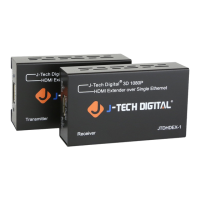
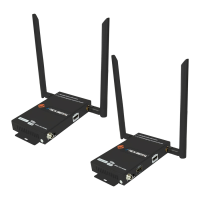
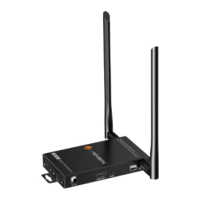
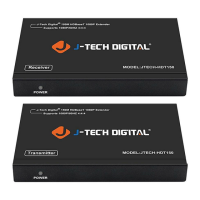
The J-Tech Digital JTECH-WEX200 (also known as JTD-611V3) is a 200ft wireless HDMI extender designed to transmit HD Audio & Video HDMI signals wirelessly up to 200 feet away to an HD-capable display. This device utilizes the TCP/IP standard Wireless Transport Protocol, ensuring a high transmission rate and strong anti-interference capability. It is suitable for various applications, including office presentations, lectures, education, conferences, and residential entertainment.
Function Description:
The JTECH-WEX200 system consists of a transmitter (TX) and a receiver (RX). The transmitter connects to an HDMI source device (such as a set-top box, DVD player, or streaming device) via an HDMI input port. It also features a local HDMI output port for a local display, allowing for simultaneous viewing at the source location. The receiver connects to an HDTV monitor or projector via an HDMI output port. The system extends wide-band infrared remote control, enabling users to control the source device from the display side. The extenders automatically pair after being powered on, and status indicators provide visual feedback on connection and signal status. The system supports the pairing of one transmitter with up to two receivers, allowing for multiple displays.
Important Technical Specifications:
- HDMI Resolution: Up to 1080P@50/60Hz
- HDMI Audio Format: LPCM2.0/48KHz/16Bit
- HDMI Max Bandwidth: 225MHz
- HDMI Max Baud Rate: 6.75Gbps
- Input/Output TMDS Signal: 0.5~1.5Volts p-p(TTL)
- Input/Output DDC Signal: 5Volts p-p (TTL)
- HDMI Output Cable Distance: ≤12m AWG26 HDMI standard cable
- Antenna Type: External dual 3dBi gain antenna (4 antennas included in total)
- Wireless Standard: IEEE 802.11a/n
- Wireless Band: 5GHz ISM Band
- Max Data Rates: 2T2R up to 300Mbps
- Transmit Output Power (IPEX): 20dBm Max
- Transmission Distance: Up to 200m (in open space). Note: May be affected by the use environment.
- IR Carrier Frequency: 20-60KHz
- TX/RX Max Working Current: 1A
- Power Adapter Format Input: AC 100V~240V 50HZ/60Hz, DC12A (2 DC power adapters included)
- Operating Temperature Range: -5 to +45°C
- Storage Temperature Range: -20 to +60°C
- Operating Humidity Range: 10 to 90%RH (No Condensation)
- Storage Humidity Range: 5 to 95%RH (No Condensation)
- Case Dimension (L x W x H): 5 x 5 x 0.98 (in)
- Weight: TX .359 lbs / RX.352lbs
- Compliance: RoHS compliant, CE FC
Usage Features:
- Plug and Play Installation: Simple setup with no software required.
- Multiple Receiver Support: One transmitter can be paired with up to two receivers.
- Local HDMI Output: The transmitter includes an HDMI output port for a local display, allowing the source content to be viewed simultaneously at the source location.
- Wide-band IR Remote Extension: Control your source device from the display side using the included IR transmitter and receiver cables.
- OSD Support: On-screen display provides easy access to device status.
- 5GHz ISM Frequency Band: Utilizes this band for high-transmission data rates and enhanced anti-interference capabilities.
- Channel Switching: The "CHANNEL" key on the TX front panel allows cycling through multiple 5GHz wireless channels to optimize performance and avoid interference.
- Web Configuration Interface: Allows for advanced setup and adjustment of the operating channel and SSID via a web browser. Users can change the SSID and password for security.
- Status Indicators: POWER, STATUS, and HDMI indicators on both TX and RX provide clear visual feedback on the device's operational status, connection, and signal presence.
- HDMI Resolutions: Supports a range of HDMI resolutions from 480P to 1080P@50/60Hz, as well as SVGA to WUXGA.
Maintenance Features:
- Factory Reset: A RESET button on both the transmitter and receiver allows users to restore factory settings. This is useful for troubleshooting, especially if incorrect web settings have been applied or if the password is forgotten. The HDMI Status LED flashes three times upon successful reset, and an OSD message confirms the action.
- Web Settings for Channel and SSID: Users can adjust the operating channel and SSID via a web interface to prevent interference from other devices using the same frequency. It is recommended to change the default SSID and password upon first login for security.
- Troubleshooting Guide: The manual provides a FAQ section to address common issues such as "No display," "Displays 'Connecting'," "Transmission distance is short," "Image is not fluid," "Can't find the SSID," and "Can't login to the Web settings interface," offering solutions like checking power supplies, adjusting antenna angles, selecting new channels, and verifying web settings.
- General Care Instructions:
- Place the device away from damp conditions, high temperatures, and dust.
- Avoid erosive and oxidative environments.
- Do not drop, hit, or shake the extenders.
- Do not touch the power adapter with wet hands.
- Always hold the power adapter head when removing it from an electrical socket; do not pull the cord.
- Turn off power when the devices are not in use for prolonged periods.
- Do not attempt to open or tamper with internal components.
- Use only the provided power adapter.

 Need help?
 General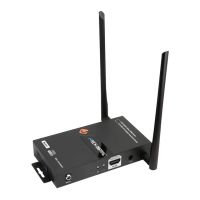

 To Next Page