How do I connect my headset with a Polycom IP 320, IP 321, IP
330, IP 331, IP 335, IP 430, IP 450, IP 550, IP 560, IP 650, IP 670
or VVX series so I can answer and end calls electronically?
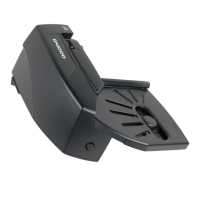
Jabra Link 14201-17
Requirements:
Jabra Pro 9460, Jabra Pro 9465, Jabra Pro 9470, Jabra Go 6470, or Jabra
Motion Office with the latest firmware installed
Jabra Link 14201-17
Jabra 8800-00-75 (for Polycom IP 320, IP 321, IP 330, or IP 331)
Used in combination with one of the following Polycom desk phones:
SoundPoint IP phones running: SIP software v 3.0 or later, and
BootROM 4.1.0 or later
Polycom IP 321, IP 331 running: SIP software v 3.1.2 rev. C or later
Polycom IP335 running: SIP software v 3.1.2 rev. B or later
VVX series running: SIP software v 3.1.2 rev. B or later, and BootROM
4.1.2 or later
To connect your headset with your desk phone, use the following steps:
1. Plug one end of the EHS adapter into the serial port on the back of your
phone.
2. Plug the other end into the Jabra base socket marked AUX.
3. Connect the RJ-9 connector of the headset to the Jabra base marked
with a phone icon, and connect the other end to the back of the phone
marked with a headset icon (use cord Jabra 8800-00-75 for SoundPoint
IP phone models 320, 321, 330 or 331).

 Need help?
 General

 To Next Page