See FAQ at support.jadens.com
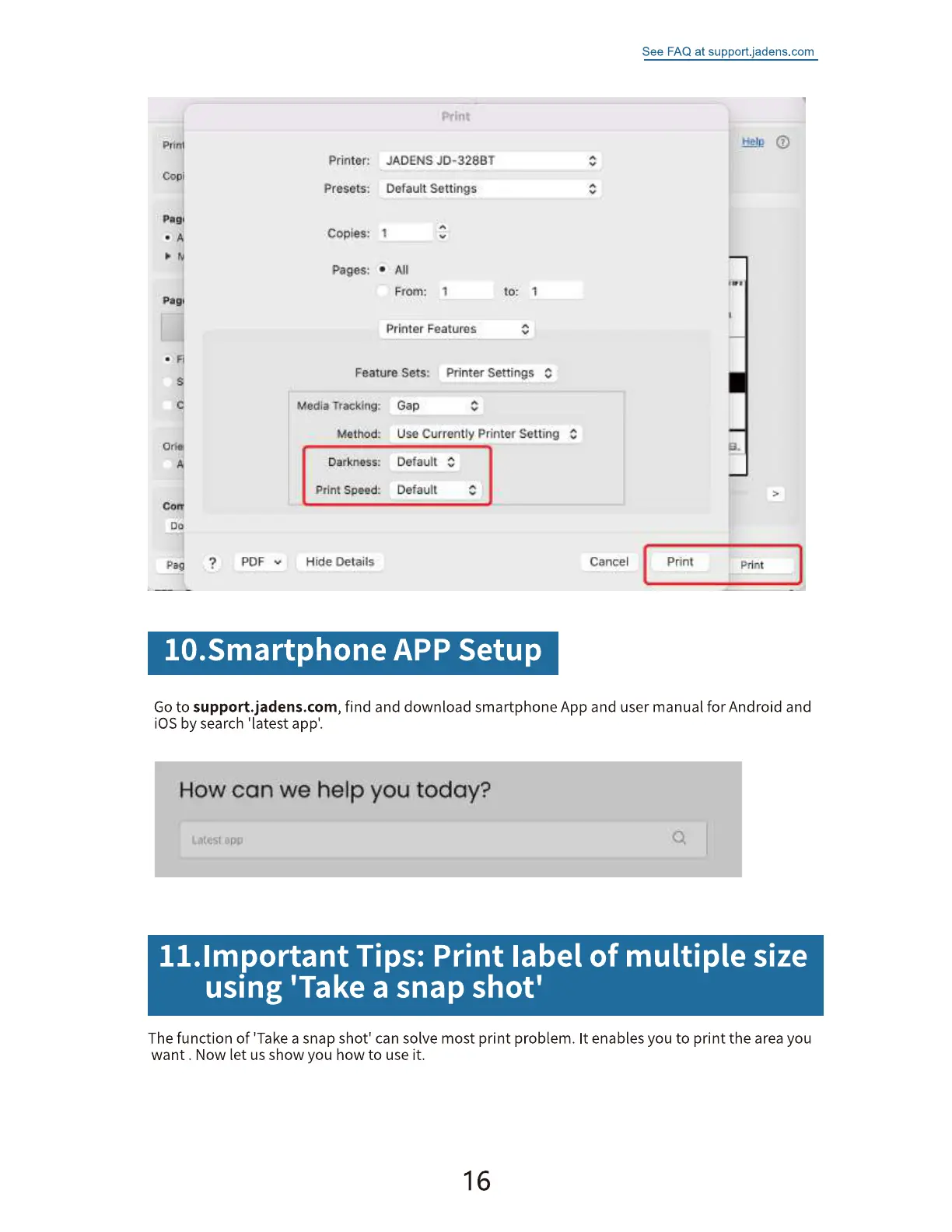
Printer:
Presets:
Copies: 1
Pages:
S*rint
JADENS
DefauEt Settings
From: t
Printer Features
Feature Sets: Printer Settings C
por
media Tracking:
Method:
Darkness:
print speed:
Hide Details
Gap
usa Currently Printer Setting
Default C
Default
Cancel
print
e.
Print
10.Smartphone APP Setup
Goto support.jadens.com, find and download smartphone App and user manual for Android and
iOS by search 'latest appl.
How can we help you today?
q
ll.lmportant Tips: Print label of multiple size
using 'Take a snap shot'
The function of 'Take a snap shot' can solve most print problem. It enables you to print the area you
want . Now let us show you how to use it.
16


 To Next Page