JIF-2002 WEIGHING INDICATOR&CONTROLLER
52
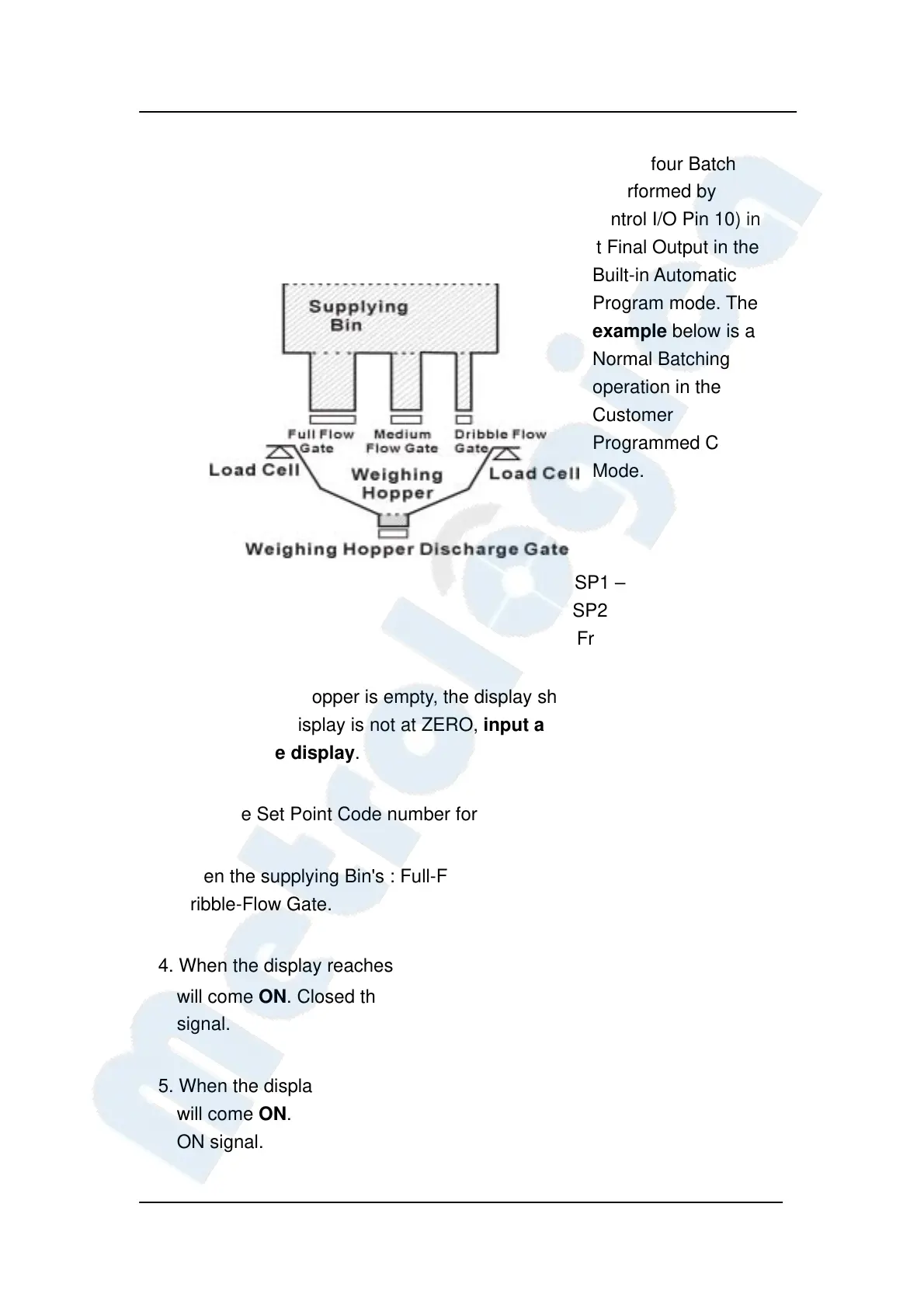
◎ Multiple-Ingredient Batching
Multiple-Ingredient Batching can be done in any of the four Batch
settings of Function (F101). Accumulation will be performed by
Automatic Free Fall Compensation Command (control I/O Pin 10) in
the Customer-Programmed Control mode and at Final Output in the
Built-in Automatic
Program mode. The
example below is a
Normal Batching
operation in the
Customer
Programmed Control
Mode.
SP1 – Full Flow Gate
SP2 – Megium Flow Gate
Free – Dribble Flow Gate
1. The Weighing Hopper is empty, the display shows "0", and all Gates are
closed. If the display is not at ZERO, input a TARE signal (Pin 24) to
re-ZERO the display.
2. Input the Set Point Code number for Batching.
3. Open the supplying Bin's : Full-Flow Gate, Medium-Flow Gate, and
Dribble-Flow Gate.
4. When the display reaches "Final - SP 1", the SP 1 Output (Pin 12) signal
will come ON. Closed the Full-Flow Gate by using the SP 1 Output ON
signal.
5. When the display reaches "Final - SP 2", the SP 2 Output (Pin 11) signal
will come ON. Closed the Medium-Flow Gate by using the SP 2 Output
ON signal.


 To Next Page
 Loading...