USER GUIDE AND WARRANTY INFORMATIONwww.jamaudio.com
HX-HP420
Where There’s A Jam, There’s A Party!
™
READ UP. PARTY DOWN.
HEY. HAVE WE SEEN YOU HERE BEFORE?
PACKAGE CONTENTS
Register your headphones at www.jamaudio.com. Information
about where you bought them and how you’re using them is like
gold for the people who make these headphones. Do them a
solid, will ya?
Por manual de instrucciones e información de garantía en
español visítenos en www.jamaudio.com
There are lots of cool Jam speakers. Check them all out at
www.jamaudio.com
Charging the headphones is so easy you’ve
probably figured it out by now, but just in
case, you’ve got two options: You can charge
it using your computer or a wall outlet.
1. The cord that came with the headphones
—the one with the USB on one end and
the Micro USB on the other—is made to
work with your computer.
2. If you want to use the wall outlet, you’ll need to
pick up a power cord with a Micro USB the
next time you’re at the store, or use any USB
AC adapter (DC 5V +/– 0.25V rated current:
>250mA), including the one for your cell.
Plug it in and your headphones will be ready for an
epic night in no time. You should go get ready too!
They need about 3 hours for 11 hours of party time.
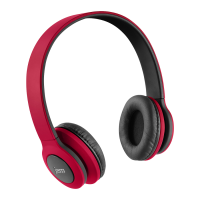
Headphones
Packaging doubles
as carrying case
User Manual Charging Cord
1. This is the power button, press and hold for 5 seconds to
power on. Push it to play, push it again to pause
2. Turn the music up or down (Wait, why would you turn it down?)
3. The power cord goes here
4. Skip back a track or jam on to the next song
5. This light lets you know when Bluetooth is paired with your
headphones
6. Check out how much juice is in the battery
Like any amazing couple, this one starts with a connection
—one between your device and the headphone’s Bluetooth.
1. We know you’re probably going to think, “derp” with this one,
but we have to say it: Make sure the smartphone, tablet or
computer you want to hook up to the headphones has
Bluetooth. (There. We got that out of the way.)
2. Turn on the headphones and look for the little blinking light.
3. Do whatever your device needs you to do on its end. (We
don’t know what you’re using. We’re not spies.)
4. Look for Jam Transit Headphones in your device’s Bluetooth
list or click YES—whatever pops up on your device—and
BAM! you’re connected.
5. Now hit PLAY on your headphones and crank it up—or down
if you’re lame.
You’re probably only going to have to do this once, unless your
device goes through a major I-just-dropped-it-in-the-pool kind
of reboot. The device and Bluetooth will find each other every
time just as long as the headphones are set to Bluetooth and
your device’s Bluetooth is, you know—on.
If you’re connecting to a computer, you may have some extra
steps on that end. You’ll have to get that information from the
computer company.
Depending on your device you may be prompted to enter a
pairing code. If prompted enter “0000” as the code.
Press and hold the +/– button for 5 seconds to activate pairing
mode.
Note: If you turn on your Transit Headphones but haven’t started
the party, they will automatically power off after 2 minutes of
unpaired inactivity.
JUST CHARGE IT
Wall adapter
not included
CONTROL YOUR DESTINY…OR AT LEAST YOUR
HEADPHONES
FEATURES:
3
5
2
6
1
4
ALLOW US TO SHED SOME LIGHT
BLUETOOTH
®
CONNECTION: IT’S A SETUP
Flashing Red
What It Looks Like
CHARGE
What It Means
Low Battery
RED (when plugged in) Charging
LED OFF (full charged) Ready to Party
Quick Flash BLUE/RED Pairing Mode
Slow Flash BLUE Connected
When friends call to interrupt your party of one—and you know
they will—answer the phone without disconnecting from your
JAM Transit. Yes, that’s right. Your headphones are a
speakerphone too. How amazing is that?
Here’s how it works:
1. Make sure your phone and headphones are connected
through Bluetooth.
HELLO? SPEAKERPHONE? YES!
2. Answering and ending a call works the same way: simply click
the PLAY/PAUSE button on your Transit.
3. If you’d rather not talk, hold down the PLAY/PAUSE button on
your Transit for three seconds to ignore the call.
THE COOLEST PART: The Transit knows when a call is coming
in and pauses the music before ringing. When you hang up, the
music starts where it left off—and so does the party. If it’s you
making the call, just start dialing from your phone, and the
Transit automatically does its hands-free thing. Isn’t it refreshing
to know your headphones totally get you?


 To Next Page
 Need help?
 General