Front and Rear Panel
1. Front panel
-1-
4
5
6
2
1
3
7
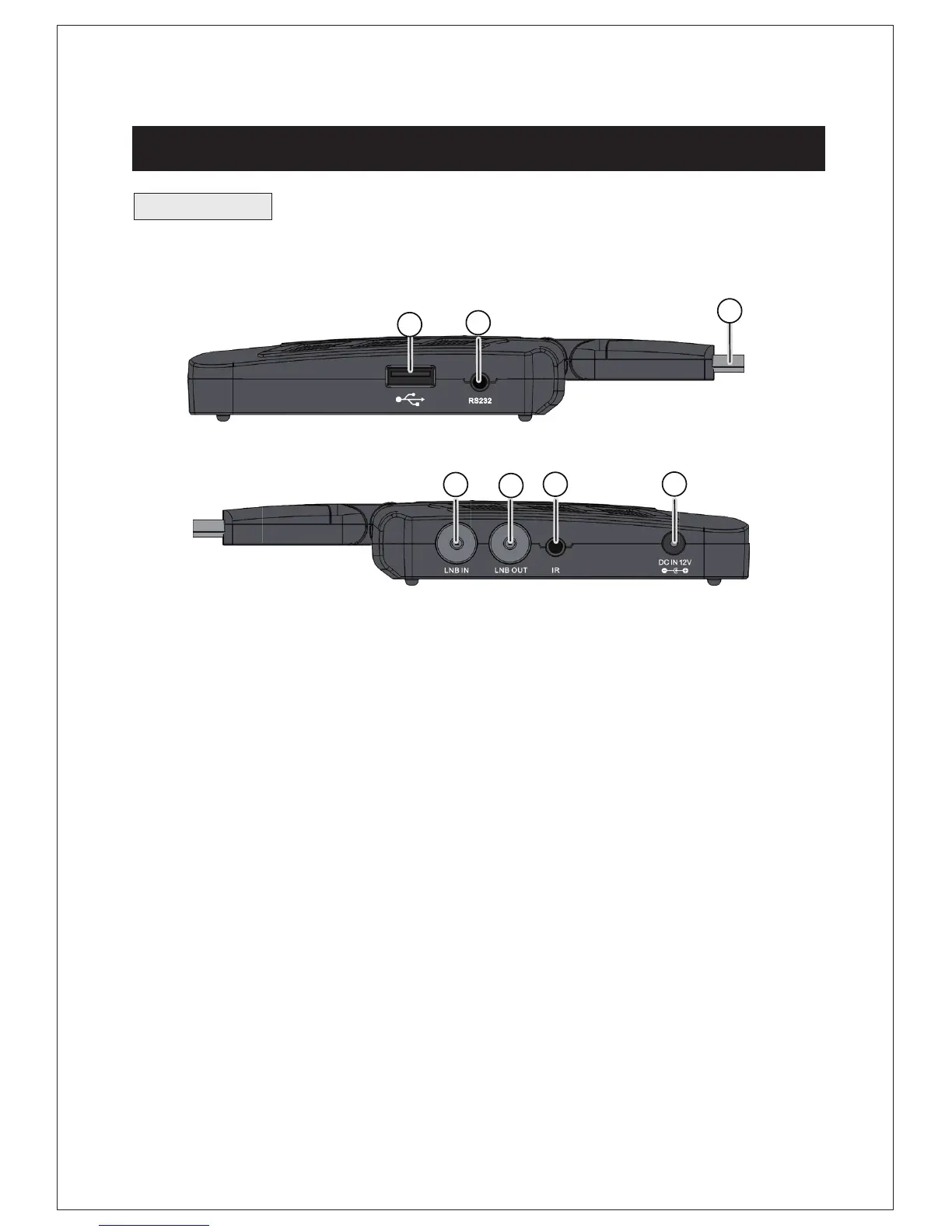
1. USB JACK: Used to connect to an external USB 2.0 device.
HDMI:
This socket connects to HDMI in device.
4. LNB IN :
Used to connect the LNB to receive the signal.
5. LNB OUT: This socket will by pass the RF signal to either your TV or
another Video system.
6. IR : Used to connect the remote Sensor
7.DC IN 12V:
Used to connect the 12V DC adapter.
Caution: Select HDMI OR Scart output. unit can not support HDMI / Scart
output at the same time.
RS232:
For data transport
2.
3.


 To Next Page