How to use
1. Please follow these steps to make sure the Active Stylus is allowed to
work in your iPad or iPad Pro:
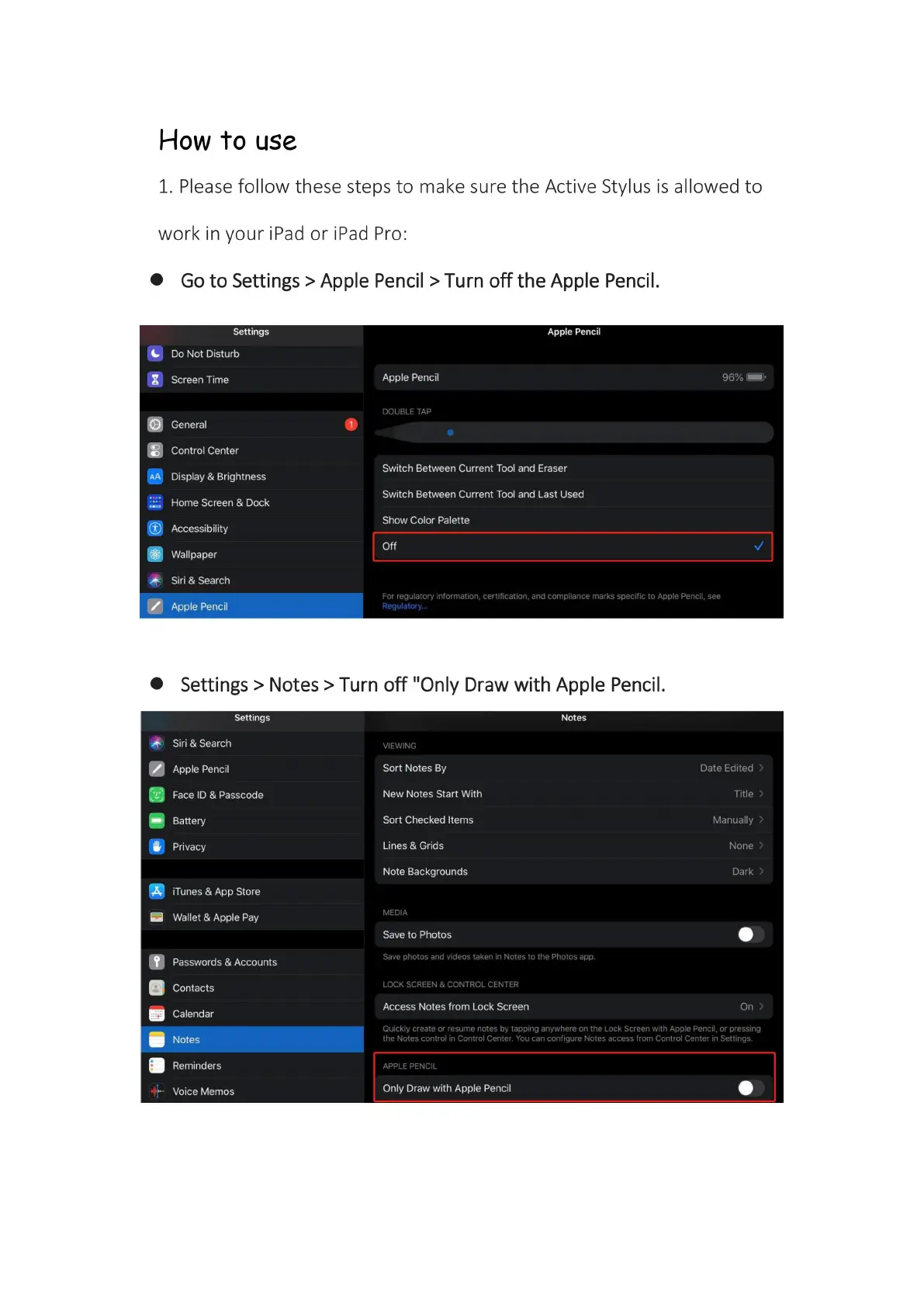
Go to Settings > Apple Pencil > Turn off the Apple Pencil.
Settings
Do Not Disturb
Screen Time
General
Control Center
Display & Brightness
Home Screen & Dock
Accessibility
Wallpaper
Siri & Search
Apple Pencil
Apple Pencil
Apple Pencil
DOUBLE TAP
Switch Between Current Tool and Eraser
Switch Between Current Tool and Last Used
Show Color Palette
Off
For regulatory information, certification, and compliance marks specific to Apple Pencil, see
Regulatory...
Settings > Notes > Turn off "Only Draw with Apple Pencil.
Settings
Siri & Search
Apple Pencil
Face ID & Passcode
Battery
Privacy
iTunes & App Store
Wallet & Apple Pay
Passwords & Accounts
Contacts
Calendar
Notes
Reminders
Voice Memos
Notes
VIEWING
Sort Notes By
New Notes Start With
Sort Checked Items
Lines & Grids
Note Backgrounds
MEDIA
Save to Photos
Save photos and videos taken in Notes to the Photos app.
LOCK SCREEN & CONTROL CENTER
Access Notes from Lock Screen
Date Edited
Title >
Manually
None
Dark >
On >
Quickly create or resume notes by tapping anywhere on the Lock Screen with Apple Pencil, or pressing
the Notes control in Control Center. You can configure Notes access from Control Center in Settings.
APPLE PENCIL
Only Draw with Apple Pencil


 To Next Page
 Loading...