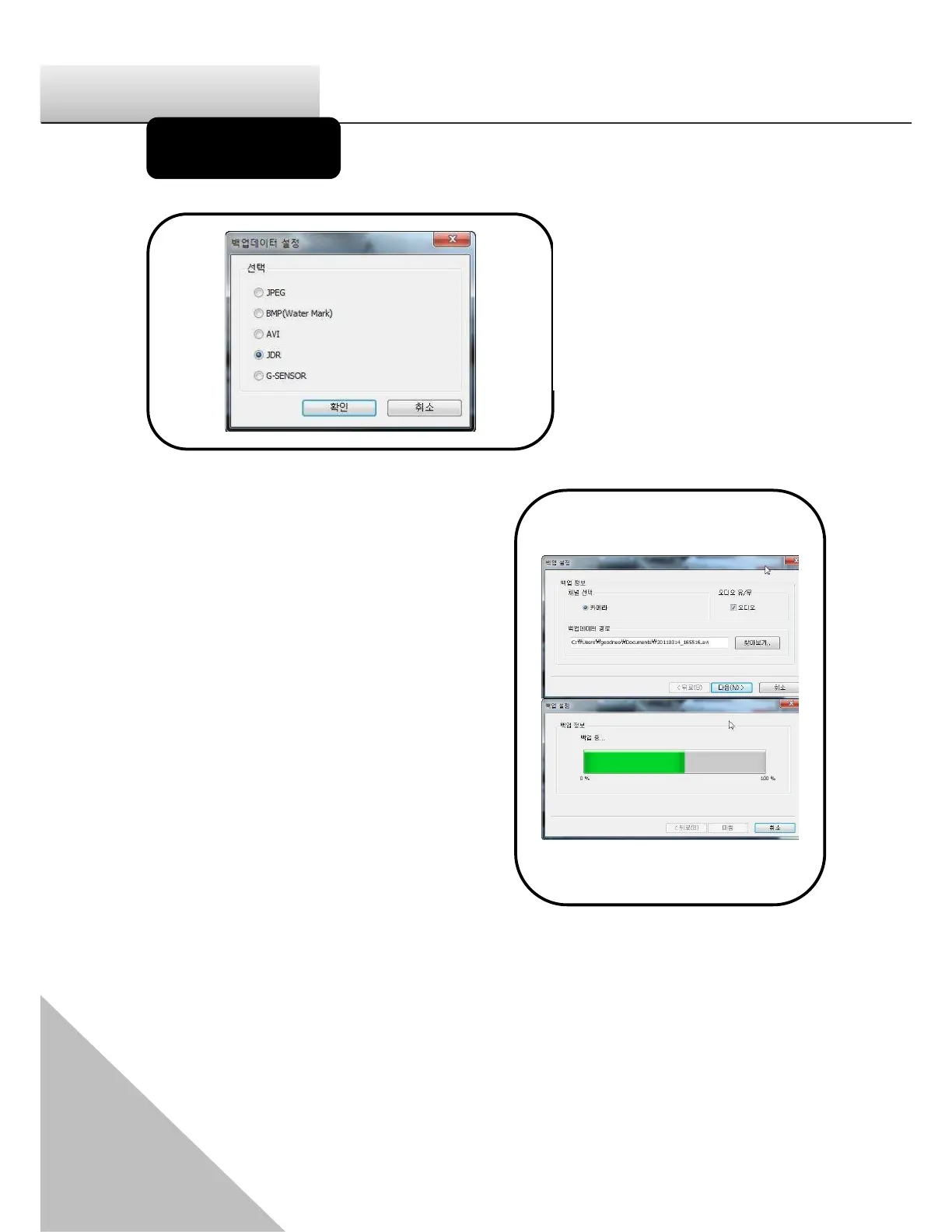
There are
Image back up - JPEG, BMP,
AVI Back up, JDR Back up,
G-SENSOR Back-up.
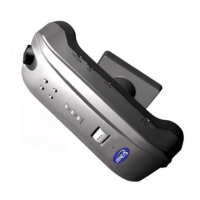
-Back up for Image, AVI and JDR-
Select the time of the recorded data to
be back up and press the back-up
button.
In case of backing up the audio together
with video, check ęAudioĚ and nominate
the path of data then press ęNextĚ
button to make progress of the back-up.
1. AVI back-up file can be played back
in Windows Media Player or
other AV players.
2. JDR back-up file can be played
back in only JANUS HD viewer
program.
3. Image back-up file can be shown in
an image viewer or ęPaintĚ of
Window OS.


 To Next Page