
EasyManua.ls Logo

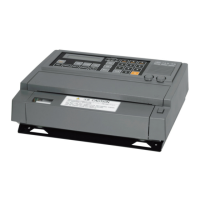
Japan Radio Co. JAX-9B User Manual

Japan Radio Co. JAX-9B
118 pages
To Next Page IconTo Next Page
Page #1 background imageLoading...
Page #1 background image
INSTRUCTION
INSTRUCTION
MANUAL
MANUAL
JAX-9B
JAX-9B
WEATHER FACSIMILE
WEATHER FACSIMILE
RECEIVER
RECEIVER
01ETM
ISO 9001, ISO 14001 Certified
Printed in Japan
Marine Service Department
+81-3-3492-1305
+81-3-3779-1420
tmsc@jrc.co.jp
Telephone :
Facsimile :
e-mail :
AMSTERDAM Branch
Telephone :
Facsimile :
e-mail :
+31-20-658-0750
+31-20-658-0755
service@jrcams.nl
SEATTLE Branch
Telephone :
Facsimile :
e-mail :
+1-206-654-5644
+1-206-654-7030
service@jrcamerica.com
CODE No.7ZPNA4036
CODE No.7ZPNA4036
APR. 2008 Edition 1 JRC
Not use the asbestos
For further information,contact:
URL http://www.jrc.co.jp

Table of Contents

Questions and Answers:

Japan Radio Co. JAX-9B Specifications

General IconGeneral
BrandJapan Radio Co.
ModelJAX-9B
CategoryReceiver
LanguageEnglish

Summary

Preface

Before Operation

Pictorial Indication

Explains symbols used for safety and correct operation of the equipment.

Precautions

Equipment Appearance

Glossary

Chapter 1 General Outline of Equipment

Function

Describes the primary purpose of receiving and recording facsimile broadcasts.

Features

Details various operational modes and capabilities of the JAX-9B.

Chapter 1 General Outline of Equipment

Automatic Frequency Selection

Explains automatic selection of the best receiving frequency.

Internal Clock

Describes the built-in clock for programmed recording.

Automatic Time Correction

Details automatic time correction via GPS receiver.

Displaying Received Image on PC (Option)

Explains PC display of received images as an option.

Chapter 1 General Outline of Equipment

Components

Lists standard and optional components of the weather facsimile receiver.

Chapter 1 General Outline of Equipment

Outline Drawings

Provides dimensional drawings of the JAX-9B unit.

Chapter 1 General Outline of Equipment

System Diagram (220Vac)

Illustrates the system connection diagram for 220Vac power.

Chapter 2 Names and Functions

Power Switch

Explains the location and modes of the power switch on the back panel.

Operation Panel

Details the functions of the switches on the front operation panel.

Chapter 2 Names and Functions

Operation of switches

Describes the function of each switch on the operation panel.

Chapter 2 Names and Functions

Control Dials

Describes the function of the SP VOL and SYNC control dials.

Button for Opening a Cover of Recording Paper

Explains the operation of the PUSH OPEN button for paper replacement.

Chapter 2 Names and Functions

LCD Display

Details the composition and display of the LCD.

Startup

Describes the initial display upon powering on the unit.

Chapter 2 Names and Functions

During Recording

Explains the LCD display content during facsimile broadcasting.

Display contents

Lists and explains the meaning of each display field on the LCD.

Chapter 3 Installation

Chapter 3 Installation

Installation Procedure

Step-by-step guide for installing the facsimile unit.

Chapter 3 Installation

Precautions for Installation

Lists important safety and operational precautions during installation.

Chapter 3 Installation

Changing Display Language

Explains how to switch the display language between English and Japanese.

Chapter 3 Installation

Connection of GPS Receiver

Details connecting a GPS receiver for automatic time correction.

Optional Function

Describes the optional function for transmitting images to a PC.

Chapter 3 Installation

Installation Drawaing

Shows required clearances for desktop and wall mounting.

Chapter 3 Installation

Connection of Cables

Details wiring for standard configurations.

Chapter 4 Operation

Chapter 4 Operation

Selection and Setting of Receiving Frequency (Automatic Frequency Selection)

Explains how to select and set frequencies for optimal reception.

Setting Receiving Frequency

Details methods for setting receiving frequencies using ten-key or channels.

Chapter 4 Operation

Automatic Frequency Selection Function

Describes the automatic selection of best receiving frequency among registered ones.

Chapter 4 Operation

Recording Modes

Explains the different operating modes for recording facsimile broadcasts.

Chapter 4 Operation

Reception of Facsimile Broadcasting

Outlines the procedure for receiving facsimile broadcasts.

Turning on the Power

Details the steps for turning on the unit and indicators.

Chapter 4 Operation

Setting Receiving Frequencies

Explains methods for inputting receiving frequencies.

Chapter 4 Operation

Setting Recording Mode

Describes how to select recording modes (Auto, Manual, Forced).

Chapter 4 Operation

Registration of Frequency Channel

Details the process of registering receiving frequencies in memory.

Chapter 4 Operation

Timer Program Recording (Registration)

Details setting up timed recording schedules.

Chapter 4 Operation

Additional Functions in Accordance with Broadcasting and Reception

Introduces various additional functions for facsimile reception.

Chapter 4 Operation

Necessary Functions for Normal Operation of Facsimile

Lists essential functions for regular operation.

Chapter 4 Operation

Alarm Indications

Lists and explains various alarm messages shown on the LCD.

Chapter 5 Maintenance

Replacing Recording Paper

Step-by-step guide for replacing the recording paper roll.

Chapter 5 Maintenance

Cleaning

Instructions for cleaning the thermal head and recording mechanism.

Chapter 5 Maintenance

Replacing Backup Battery

Details when and how to replace the backup battery.

Chapter 5 Maintenance

Troubleshooting

A table listing common trouble symptoms, causes, actions, and references.

Chapter 6 Connection of GPS Receiver

GPS Receiver Connection Interface

Specifies the interface standards for connecting a GPS receiver.

Operation Check

Explains how to verify automatic time correction with a GPS receiver.

Chapter 7 Optional Function

Option Kit

Lists the optional kits required for PC connectivity and image display.

Software for the PC

Details the functions of the PC software for image display and storage.

Chapter 8 Operating Environment

Chapter 9 Customer Support

List of Consumables

Lists consumable parts and their expected lifespan.

JAX-9B Failure Check List

A checklist for diagnosing product failures before requesting service.

Chapter 10 Disposal

Disposal of the Equipment

Guidelines for disposing of the equipment according to regulations.

Disposal of Used Battery

Instructions for disposing of the backup battery.

Chapter 11 Specifications

Facsimile Functional Ability

Lists the technical capabilities and features of the facsimile system.

Synthesized Receiver

Details the specifications of the synthesized receiver.

General Specifications

Provides general technical specifications like power, dimensions, and mass.

Environmental Condition

Specifies operating temperature and related conditions.