
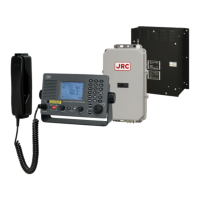
How to fix unreadable text on Japan Radio Co. JSS-2150 Radio?
- CcgarciaAug 18, 2025
If the text on your Japan Radio Co. Radio is unreadable, adjust the brightness using the DIM key and the contrast using the PWR/CONT key.

How to fix unreadable text on Japan Radio Co. JSS-2150 Radio?
If the text on your Japan Radio Co. Radio is unreadable, adjust the brightness using the DIM key and the contrast using the PWR/CONT key.
| Frequency Range | 2182 kHz, 2207.5–2221.5 kHz, 156.300–162.025 MHz |
|---|---|
| Output Power | 25 W (VHF), 60 W PEP (MF) |
| Power Supply | 24 V DC |
| Operating Temperature Range | -15°C to +55°C |
| Mode | Simplex |
Details the fundamental setup and components of the JSS-2150.
Illustrates the system's interconnected components and data flow.
Lists the technical parameters and performance criteria of the JSS-2150.
Provides a general guide to configuring the initial settings for the JSS-2150.
Explains how to access and utilize the field maintenance mode for advanced settings.
Outlines essential checks and procedures to verify post-installation functionality.
Lists common malfunctions and their corresponding solutions for the JSS-2150.
Details routine checks to ensure the equipment's continued optimal performance.
Provides a service parts list for component replacement.
Guides on how to update the system software for various units.
Explains how to enter and operate the data terminal in maintenance mode.
Presents detailed block diagrams of the system components and connections.
Shows sample inspection results and PA efficiency data for performance reference.