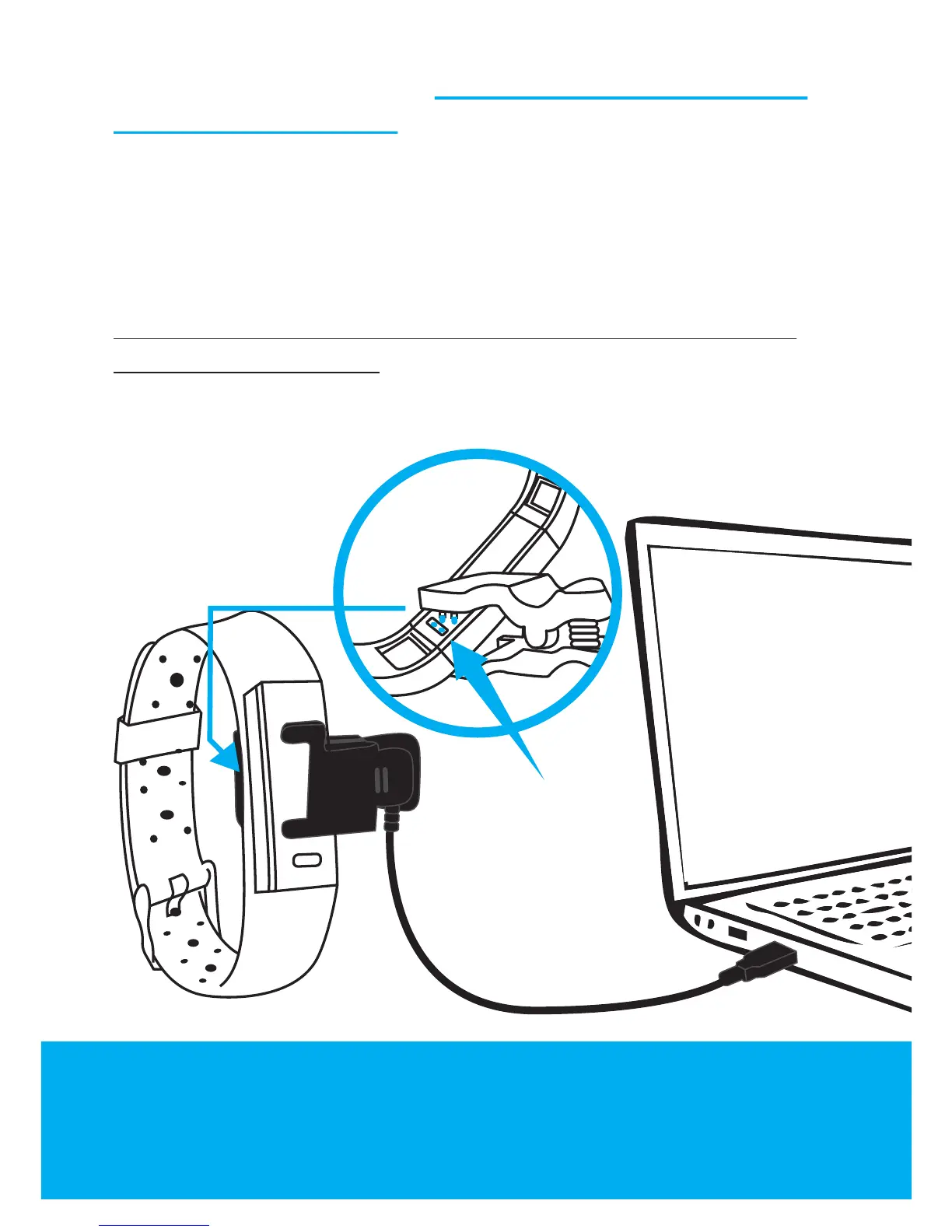
Please note:
Charging
contacts must be
properly aligned
to insure
charging.
Please be sure that the CHARGING CONTACTS ARE
PROPERLY ALIGNED. Please allow several minutes
when you are charging for the first time as the low
battery level causes the band to shutdown and only
once the battery level is sufficiently charged does the
tracker automatically power on.
To preserve battery life, the display will go into Standby
Mode after 5 seconds – you can press the touch sensor
button on the front to confirm that it is still charging. The
battery meter will be show full battery once charging is
complete.
Toll free number: 855-206-6634
HAVING TROUBLE? EMAIL OR CALL US!
Email : customerservice@jarvmobile.com


 To Next Page