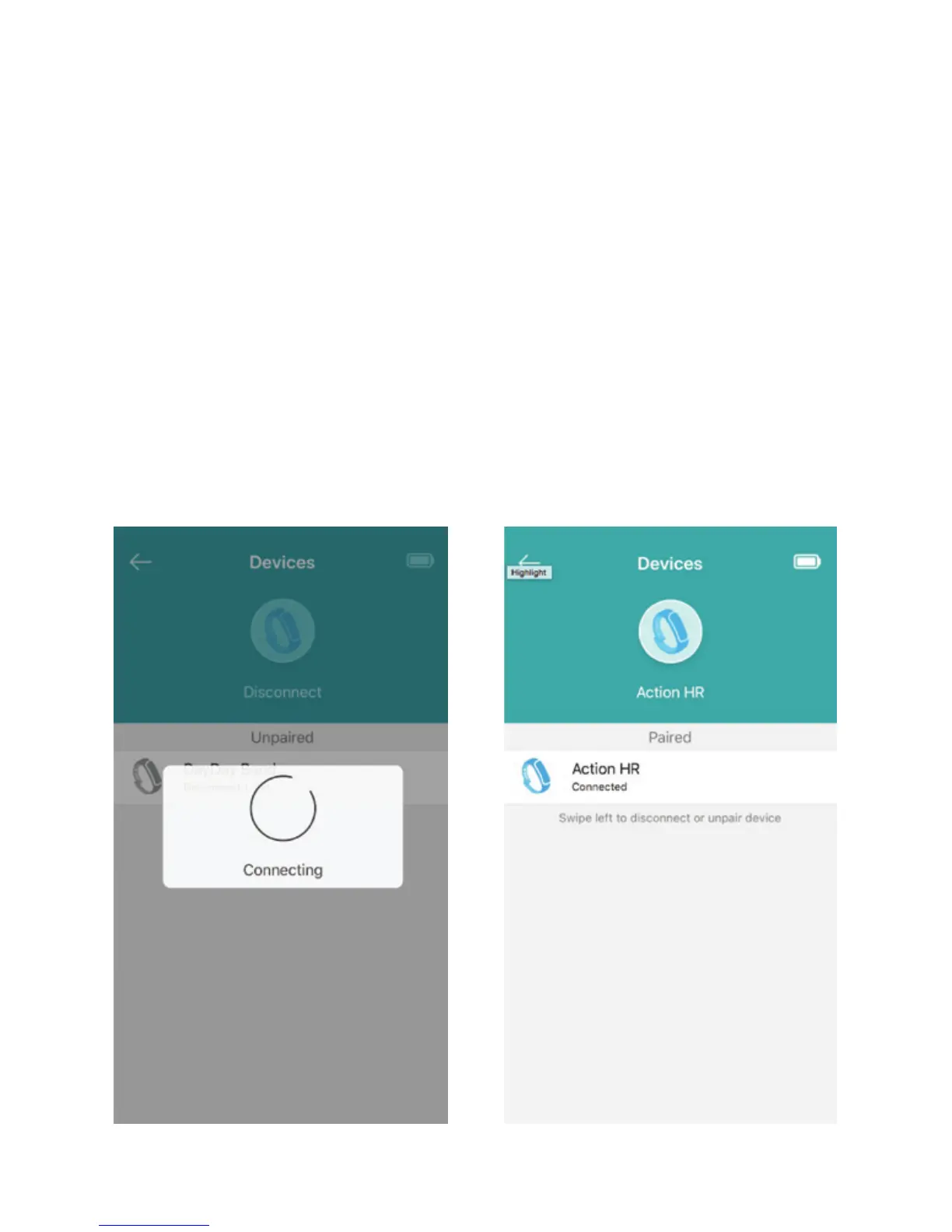
Connecting and Pairing your Device
Once you are done entering your personalized
information, you will be guided through a brief
introduction of the features and then prompted to
connect your device by pulling down on the Devices
Page to search for devices and selecting Action HR.
Please make sure that the Bluetooth function on your
device is ON and that your device is Fully Charged.
Once the App is successfully connected to your device it
will automatically prompt you with a Bluetooth Pairing
Request. Select Pair to complete the connection.
8


 To Next Page