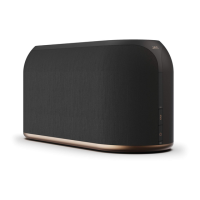
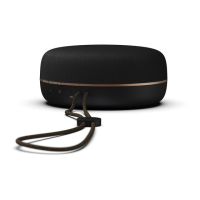
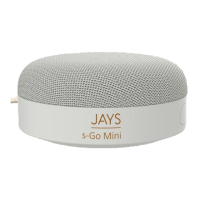
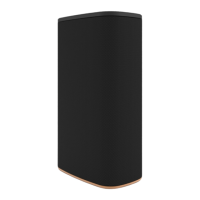
This document provides quick guides for the JAYS s-Living Series, focusing on connecting the device to a Wi-Fi network and checking for software updates. The s-Living Series appears to be a range of smart speakers designed for audio streaming and integration into smart home ecosystems like Apple Home and Google Home.
Function Description:
The JAYS s-Living Series speakers are designed to provide wireless audio streaming capabilities, primarily through Wi-Fi connectivity. They support both Apple AirPlay 2 and Google Cast (Chromecast) streaming features, making them compatible with a wide range of devices and platforms. The core function is to play audio wirelessly from various sources, integrated into a home network. The speakers are part of a "smart living" series, suggesting they are intended to be a central component of a modern connected home audio setup.
Important Technical Specifications (Inferred):
- Connectivity: Wi-Fi (2.4 GHz and/or 5 GHz, though not explicitly stated, standard for modern smart speakers), supporting Wireless Accessory Configuration (WAC) for Apple devices.
- Streaming Protocols: Apple AirPlay 2, Google Cast (Chromecast).
- Smart Home Integration: Compatible with Apple Home (HomeKit) and Google Home.
- Power: Requires a power button for ON/OFF functionality.
- Indicators: LED indicators are present, specifically mentioning red flashing LEDs during software updates.
- Processor/Memory: Capable of running software updates and booting up, indicating an internal processor and memory.
- Audio Output: Implied to be a speaker, though specific audio specifications (e.g., wattage, frequency response) are not provided in this quick guide.
Usage Features:
- Easy Wi-Fi Connection:
- For Apple Users (iOS devices):
- WAC Method: Users can connect the speaker to Wi-Fi directly through the iOS device's Wi-Fi settings by selecting "set up new AirPlay speaker." This method does not integrate the speaker into Apple Home.
- Apple Home App Method: Users can download the Apple Home app, add the speaker as an accessory (without a setup code), and then install it. This method integrates the speaker into the Apple Home ecosystem, allowing for HomeKit and AirPlay 2 streaming.
- For Google Home Users (Android and iOS devices):
- Google Home App Method: Users download the Google Home app, press "Set up 1 new device," and follow on-screen guidelines. This is essential for enabling Google Cast streaming and integrating the speaker into Google Home.
- Power Management: A physical power button is used to turn the speaker ON/OFF, requiring a 2-3 second press.
- Voice Prompts: The speaker provides voice messages, such as "Waiting for connection," to guide the user during setup.
- Multi-Room Audio (Inferred): Compatibility with AirPlay 2 and Google Cast strongly suggests support for multi-room audio setups, allowing users to group speakers and play synchronized audio across different rooms.
- User Interface (Inferred): While not detailed, the presence of a power button and LED indicators suggests a minimalist physical interface, with most control handled through companion apps (Apple Home, Google Home) or streaming device interfaces.
Maintenance Features:
- Software Updates:
- Manual Check: Users can manually trigger a software update check by performing a power cycle (Power OFF then ON) of the speaker. The speaker will check for updates after booting up (approximately 35 seconds).
- Automatic Updates: During normal operation, the speaker automatically checks for new updates online every 4 hours of inactivity.
- Update Process: If new software is available, the speaker automatically begins updating, indicated by one or both LEDs flashing red. The update process takes approximately 40 seconds, followed by a reboot to finalize.
- Critical Instruction: It is crucial NOT to power OFF the speaker while the red LEDs are flashing during an update, as this could interrupt the process and potentially damage the device.
- Update Content: Software updates can include bug fixes, performance improvements, acoustic optimizations, and new source codes for streaming protocols like Google (Chromecast) or Apple (AirPlay 2). This ensures the speaker remains up-to-date with the latest features and security enhancements.
The JAYS s-Living Series speakers are designed for seamless integration into modern smart homes, offering flexible connectivity options and robust software update mechanisms to ensure long-term functionality and performance. The emphasis on both Apple and Google ecosystems highlights its versatility and broad appeal to users with different smart home preferences.

 Need help?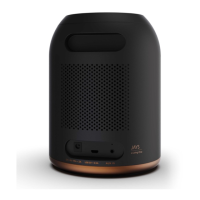

 To Next Page
 General