ENGLISH USER MANUAL
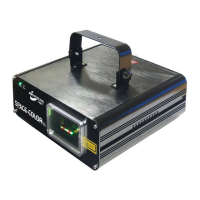
JB SYSTEMS® 7/56 SPACE-COLOR Laser
Dip #1 #2 #3 #4 #5 #6 #7 #8
Value 1 2 4 8 16 32 64 128
Begin address = 01 Æ switch 1=ON values: 1
Begin address = 05 Æ switch 1+3=ON values: 1+4 = 5
Begin address = 09 Æ switch 1+4=ON values: 1+8 = 9
Begin address = 13 Æ switch 1+3+4=ON values: 1+4+8 = 13
…
Begin address = 62 Æ switch 2+3+4+5+6=ON values: 2+4+8+16+32 = 62
• The display helps you to check if the desired starting address is correct.
• Once the address is set you can switch the unit on with the key actuated on/off switch.
DMX-CONFIGURATION OF SPACE-COLOR LASER:
CHANNEL VALUE DESCRIPTION
1 000-200 Stepper motor scanning speed (from fast to slow)
201-254 Space color laser is switched to stand-alone mode (use the AUTO/MUSIC
switch to put the laser in the desired mode)
255 Complete reset (to be used while switching from stand-alone to DMX mode)
2 000-014 Pattern 1
015-020 Pattern 2
023-027 Pattern 3
028-034 Pattern 4
035-041 Pattern 5
042-048 Pattern 6
049-055 Pattern 7
056-062 Pattern 8
063-070 Pattern 9
071-076 Pattern 10
077-083 Pattern 11
084-090 Pattern 12
091-097 Pattern 13
098-104 Pattern 14
105-111 Pattern 15
112-118 Pattern 16
119-125 Pattern 17
126-132 Pattern 18
133-140 Pattern 19
141-153 Pattern 20
154-160 Pattern 21
161-167 Pattern 22
168-174 Pattern 23
175-181 Pattern 24
182-188 Pattern 25
189-195 Pattern 26
196-202 Pattern 27
203-210 Pattern 28
211-216 Pattern 29
217-223 Pattern 30
224-230 Pattern 31
231-251 Pattern 32
252-255 Pattern 33
3 000-255 Rotation of the patterns
4 000-255 Zooming: pattern size (from small to big)
5 000-255 Panning movement (X-axis: left to right - value 128 is middle position)
6 000-255 Tilt movement (Y-axis: up and down - value 128 is middle position)
7 000 Blackout
ENGLISH USER MANUAL
JB SYSTEMS® 8/56 SPACE-COLOR Laser
001-254 Blanking frequency (from low to high)
255 No blanking
8 000-055 Beam color: Red
056-083 Beam color: Green
084-111 Beam color: Yellow
112-139 Beam color: Red & Green
140-167 Beam color: Yellow & Green
168-195 Beam color: Red & Yellow
196-254 Beam color: Red, Green & Yellow
255 Beam color: Original color of the pre-programmed patterns
MAINTENANCE
• Make sure the area below the installation place is free from unwanted persons during
servicing.
• Switch off the unit, unplug the mains cable and wait until the unit has been cooled down.
During inspection the following points should be checked:
• All screws used for installing the device and any of its parts should be tightly fastened
and may not be corroded.
• Housings, fixations and installations spots (ceiling, truss, suspensions) should be totally
free from any deformation.
• When an optical lens is visibly damaged due to cracks or deep scratches, it must be
replaced.
• The mains cables must be in impeccable condition and should be replaced immediately
when even a small problem is detected.
• In order to protect the device from overheat the cooling fans (if any) and ventilation
openings should be cleaned monthly.
• The interior of the device should be cleaned annually using a vacuum cleaner or air-jet.
• The cleaning of internal and external optical lenses and/or mirrors must be carried out
periodically to optimize light output. Cleaning frequency depends on the environment in
which the fixture operates: damp, smoky or particularly dirty surroundings can cause
greater accumulation of dirt on the unit’s optics.
• Clean with a soft cloth using normal glass cleaning products.
• Always dry the parts carefully.
• Clean the external optics at least once every 30 days.
• Clean the internal optics at least every 90 days.
Attention:
We strongly recommend internal cleaning to be carried out by qualified
personnel!


 To Next Page
 Loading...