Need help?
Do you have a question about the JBL Endurance RACE TWS and is the answer not in the manual?
Lists all components included in the product packaging for initial setup.
Introduces the JBL Headphones app for enhanced control and personalization.
Explores app features like EQ, voice assistant setup, and gesture assignments.
Provides instructions on correctly fitting the earbuds for comfort and audio performance.
Details the initial steps for preparing the earbuds for their first activation and use.
Guides users through powering on the earbuds and establishing a Bluetooth connection.
Explains how to use both earbuds in stereo mode or individually in mono mode.
Details tap and hold gestures for controlling playback, calls, and voice assistants.
Instructions on how to properly turn off the earbuds when they are not in use.
Covers connecting to new devices, reconnecting, and performing a factory reset.
Provides information on how to charge the earbuds and case, including charging times.
Explains the IP67 rating for water and dust resistance and how to maintain it.
Interprets LED patterns indicating connection status and battery levels.
Lists the technical specifications of the JBL Endurance Race earbuds.
This document is a quick start guide for the JBL Endurance Race TWS earbuds, designed for active users. It covers setup, usage, and maintenance, emphasizing a secure fit and robust performance for sports and outdoor activities.
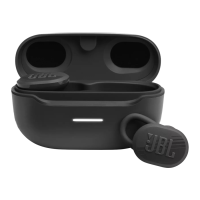
The JBL Endurance Race TWS earbuds are true wireless stereo earbuds primarily designed for active lifestyles, offering a secure fit and durable design. They are suitable for various activities, including running, as suggested by the "Endurance Race" branding.
The earbuds provide a wireless audio experience, allowing users to listen to music, podcasts, and other audio content without the hassle of cables. They are equipped with Bluetooth connectivity for seamless pairing with smartphones and other compatible devices. The "Dual Connect" feature allows for flexible usage, enabling users to use both earbuds in stereo mode for an immersive sound experience or a single earbud in mono mode for awareness of surroundings or extended battery life.
A key feature of these earbuds is their robust design, including IP67 waterproof and dustproof ratings. This means they are protected against dust ingress and can withstand immersion in water up to 1 meter for 30 minutes, making them ideal for workouts, outdoor adventures, and use in various weather conditions.
The earbuds also integrate voice assistant functionality, supporting popular assistants like Google Assistant, Amazon Alexa, Bixby, and Siri. This allows for hands-free control of music playback, calls, and other smart device functions.
Fit and Wear: The guide emphasizes the importance of a perfect fit for optimal audio performance and comfort during activity. Users are encouraged to "mix and match" the included ear tips (S/M/L) and ear fins (S/L) to find the most secure and comfortable combination for their ears. The guide provides visual instructions on how to properly insert the earbuds, ensuring they are twisted into place for a snug fit.
First Time Use & Power On/Connect: For initial setup, users simply place the earbuds into the charging case. When ready to connect, removing them from the case automatically powers them on and initiates automatic pairing. For connecting to a new Bluetooth device, users need to access their device's Bluetooth settings and select "JBL RACE TWS." Android 6.0+ users benefit from "Fast Pair," which simplifies the connection process by displaying a prompt to pair the device.
Controls: The earbuds feature intuitive touch controls for managing audio playback, calls, and ambient sound modes.
JBL Headphones App: The dedicated JBL Headphones app significantly enhances the user experience by offering greater control and personalization.
Charging: The earbuds are charged by placing them back into their charging case. The charging case itself is charged via a USB-C cable. The guide indicates that a 10-minute charge can provide 1 hour of music playtime, and a full charge takes approximately 2 hours. A crucial maintenance note is to ensure the earbuds are completely dry before placing them back into the charging case to prevent damage.
Power Off: To power off the earbuds, users simply place them back into the charging case and close the lid.
Manual Setup & Reset: The guide provides instructions for manual setup scenarios:
Waterproof & Dustproof (IP67): The IP67 rating ensures the earbuds are highly durable against dust and water. However, the guide also shows an image of drying the earbuds with a cloth after exposure to water, indicating that while they are resistant, proper drying is still recommended for longevity and to prevent issues with charging contacts.
LED Behaviors: The earbuds and charging case feature LED indicators that communicate various statuses, including:
 General
| Frequency Response | 20Hz - 20kHz |
|---|---|
| Battery Life (Earbuds) | 10 hours |
| Water Resistance | IP67 |
| Bluetooth Version | 5.2 |
| Impedance | 16 ohms |
| Sensitivity | 99dB SPL @ 1kHz |
| Microphone Sensitivity | -38dBV/Pa @ 1kHz |
| Bluetooth Transmitter Power | < 10dBm |
| Bluetooth Transmitter Modulation | GFSK, π/4 DQPSK, 8DPSK |
| Charging Time | 2 hours |
| Driver Size | 6mm |
| Charging Case Battery Life | 20 hours |
| Type | True Wireless |
| Bluetooth Profiles | A2DP V1.3, AVRCP V1.6, HFP V1.7 |
| Bluetooth Transmitter Frequency Range | 2.4 GHz – 2.4835 GHz |

 To Next Page