EVOi.net
8
INSTALLATIONS/SETUP
STARTING UP
Connecting Measurement
Microphone
IMPORTANT: EVOi.net is supplied with a dedicated JBL
Measurement Microphone and 100’ XLR - XLR balanced
signal cable. Successful setup will ONLY occur if the JBL
Measurement Microphone is used. When not in use please
keep it in a safe place for future use.
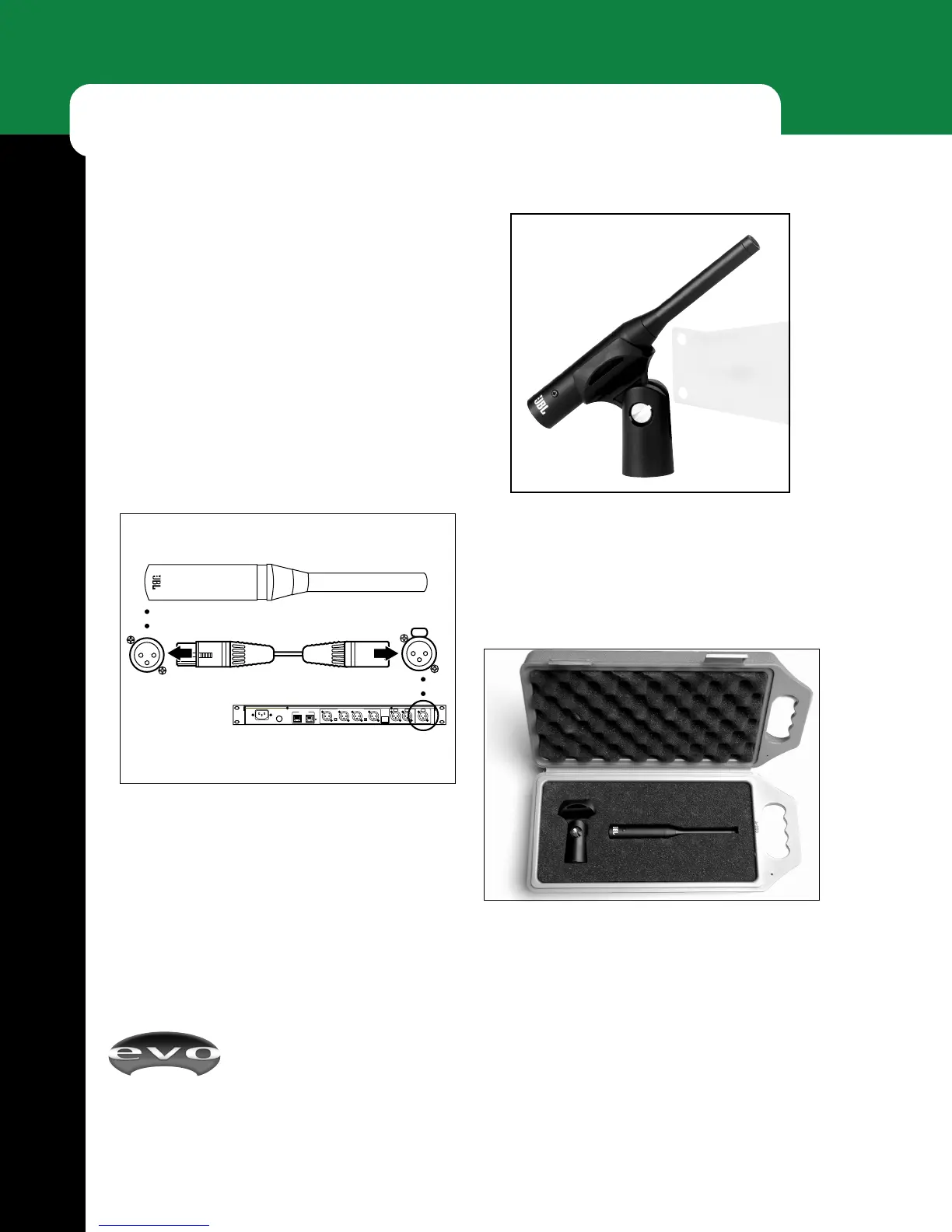
Use the supplied 100’ XLR signal cable to hookup the
Measurement Microphone, as shown in Figure 5 below.
JBL Measurement Microphone
EVOi.net
Rear
100’ XLR Cable (Included)
Figure 6 - The JBL Measurement Microphone with
adapter, 100’ XLR cable and protective case are included
with the EVOi.net Controller and EVOi.sys System.
Figure 7- As your measurement microphone is a precise
audio tool, please keep it in its protective case when not
in use.
Figure 5 - Measurement Microphone Hook Up


 To Next Page