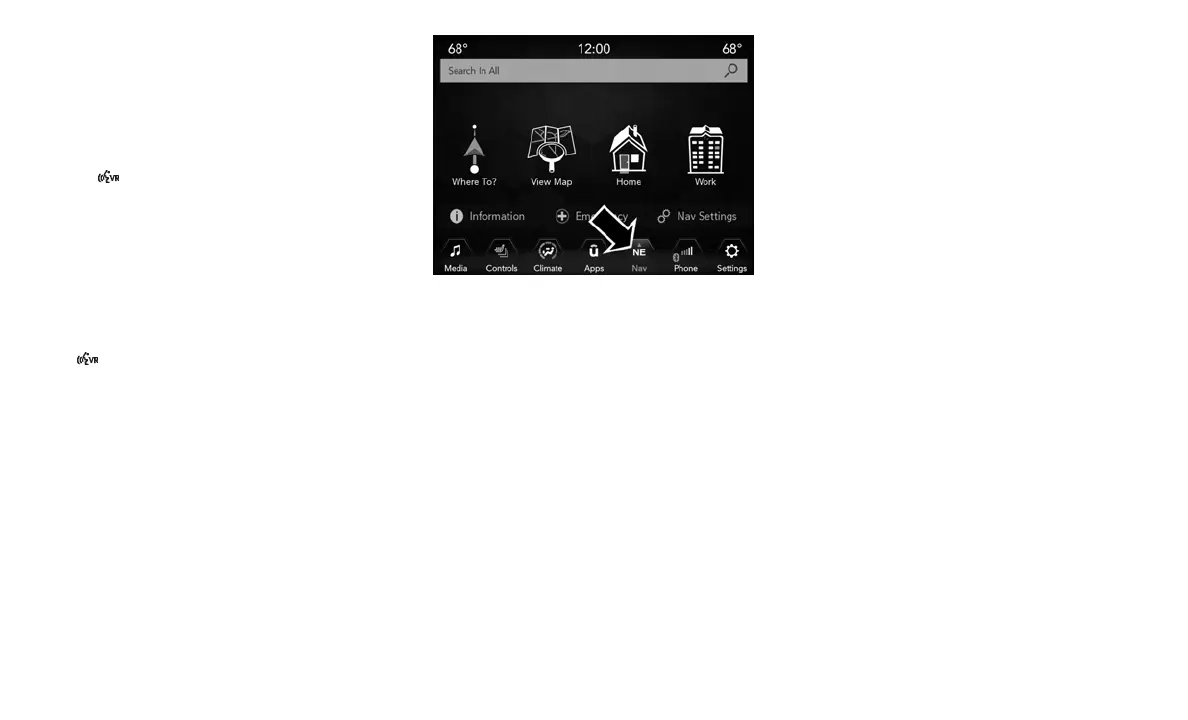
Navigation (4C NAV)
The Uconnect navigation feature helps you save
time and become more productive when you
know exactly how to get to where you want to
go. (Navigation is optional on the Uconnect
4 with 8.4–inch display system.)
1. To enter a destination, push the VR button
. After the beep, say:
• For the Uconnect 4 System, say: “Enter
state.”
• For the 4C NAV Uconnect System, say:
“Find address 800 Chrysler Drive Auburn
Hills, Michigan.”
2. Then follow the system prompts.
TIP: To start a POI search, push the VR button
. After the beep, say: “Find nearest coffee
shop.”
General Information
The following regulatory statement applies to all
Radio Frequency (RF) devices equipped in this
vehicle:
This device complies with Part 15 of the FCC
Rules and with Industry Canada license-exempt
RSS standard(s). Operation is subject to the
following two conditions:
1. This device may not cause harmful interfer-
ence, and
2. This device must accept any interference
received, including interference that may
cause undesired operation.
NOTE:
Changes or modifications not expressly ap-
proved by the party responsible for compliance
could void the user’s authority to operate the
equipment.
Additional Information
© 2017 FCA US LLC. All rights reserved. Mopar
and Uconnect are registered trademarks and
Mopar Owner Connect is a trademark of FCA
US LLC. Android is a trademark of Google Inc.
CD MAINTENANCE
To keep a CD in good condition, take the
following precautions:
1. Handle the disc by its edge; avoid touching
the surface.
2. If the disc is stained, clean the surface with a
soft cloth, wiping from center to edge.
Uconnect 4C NAV Navigation
321














 To Next Page