2
Make sure the following items came in this package:
1. Unpack
2. Charge the transmitter/receiver
Before you start using the transmitter/
receiver for the rst time, it’s a good
idea to charge it completely.
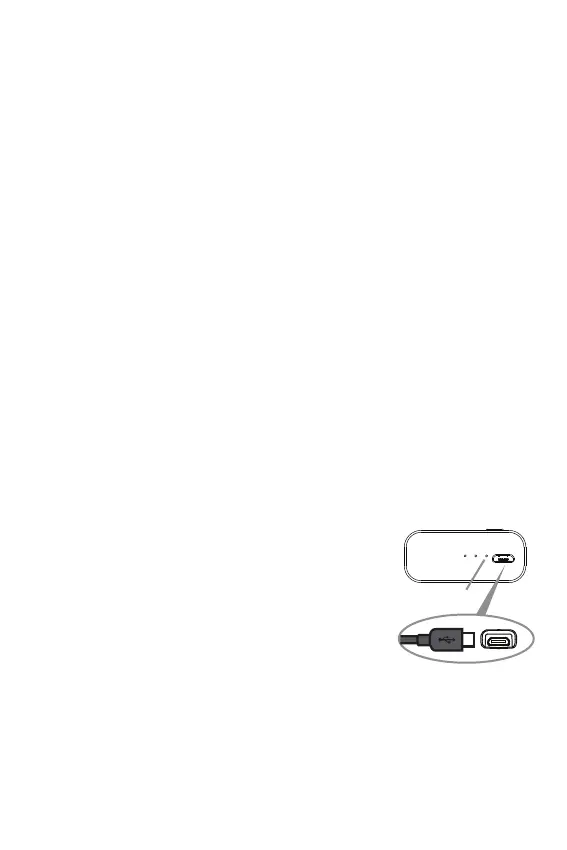
To charge the transmitter/receiver:
Plug the included micro-USB charging
cable into the charging jack on the back
of the transmitter receiver.
Plug the other end of the power
adapter into a USB power source.
The charging indicator is red while the
transmitter/receiver is charging. It turns
off when the transmitter/receiver is fully
charged.
Note: You can use the transmitter/receiver while it’s
charging.
(1) wireless audio transmitter & receiver
(1) micro-USB charging cable
(1) 3.5mm audio cable
Transmitter/
receiver back
Charging
indicator


 To Next Page