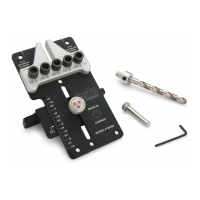
Leveling the Lift to the Table Top
Lift features 8 drilled and tapped
holes around the perimeter of the insert plate
with adjustable set screws (Fig. 4
hex wrench included with your
screws in the clockwise direction to raise the
insert plate or turn the set screws in the counter
clockwise direction to lower the insert plate until
the insert plate is level (flush) with the router table
surface. Start at one corner o
and work your way around the perimeter of the
insert plate until all set screws have been
adjusted properly so that the insert plate does not
rest above or below the table surface. Once the
insert plate has been leveled properly, please
figure 4 for adjusting the insert plate to the table.
After adjusting the leveling screws and
getting the lift plate level and flush with the
table top, the Mast-R-Lift
then screwing the bolt into the
corresponding corner hole in the table
opening using a hex key (Fig. 5
secure the lift or plate from moving during
operation. Refer to the router lift or plate
Leveling the Lift to the Table Top
Lift features 8 drilled and tapped
holes around the perimeter of the insert plate
screws in the clockwise direction to raise the
insert plate or turn the set screws in the counter
clockwise direction to lower the insert plate until
the insert plate is level (flush) with the router table
and work your way around the perimeter of the
insert plate until all set screws have been
adjusted properly so that the insert plate does not
rest above or below the table surface. Once the
insert plate has been leveled properly, please
figure 4 for adjusting the insert plate to the table.
Lift FX comes with one insert
available with different diameter pre
creating your own custom center hole
diameters. See your JessEm distributor for
Place the insert ring into the center
the Lift’s top plate (Fig. 6).
With the insert wrench provided, insert
prongs of the wrench into the
holes in the insert ring and
Turn the insert wrench clockwise to
and remove the ring. If the insert
too tight to loosen with hand
After adjusting the leveling screws and
getting the lift plate level and flush with the
corresponding corner hole in the table
secure the lift or plate from moving during
operation. Refer to the router lift or plate
Lift FX comes with one insert
available with different diameter pre
creating your own custom center hole
diameters. See your JessEm distributor for
Place the insert ring into the center
the Lift’s top plate (Fig. 6).
With the insert wrench provided, insert
prongs of the wrench into the
holes in the insert ring and
Turn the insert wrench clockwise to
and remove the ring. If the insert
too tight to loosen with hand



 To Next Page
 Loading...