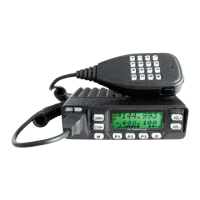
Need help?
Do you have a question about the JETStream JT220M and is the answer not in the manual?
Summarizes the advanced functions and features of the transceiver, including display, buttons, and capabilities.
Details all standard accessories included with the transceiver, such as the unit, microphone, cables, and hardware.
Instructions for physically mounting the transceiver in a vehicle, including bracket placement.
Procedure for connecting the DC power cable for mobile operation, including routing and safety.
Steps for connecting the transceiver for fixed station use with a separate power supply.
Covers fuse replacement, voltage display, and antenna connection procedures.
Instructions for connecting external speakers and microphones to the transceiver.
Detailed explanation of the transceiver's front panel buttons and their primary functions.
Identification of ports and connectors on the rear of the transceiver unit.
Explanation of the various icons and indicators shown on the transceiver's LCD screen.
Details on the microphone's keys, functions, and connector pinout.
How to turn the unit on/off, adjust volume, and set the squelch level.
Changing frequencies by channel steps and 1MHz steps.
How to operate through repeaters and program offset settings.
 General
| Brand | JETStream |
|---|---|
| Model | JT220M |
| Category | Transceiver |
| Language | English |

 To Next Page