JCD-LW1-TY
Wireless Wi-Fi
This module equips those common RF motors with the capacity to connect to the local
network, enabling them to work with nearby smart speakers and other devices. The Wi-Fi
module can converse with various smart home platforms, including Xiaomi, Tmall, Alexa,
etc.
c. If indicator didn't blink, pls try:
Method 1: Long insert RESET button until indicator blinking, motor's ready to Wi-Fi
connection
Note: You can try Method 2 if it is not easy to insert RESET on module
Method 2: Short Press Prg on back of controller, motor jogs once; short press Down,
motor jogs once, then short press UP, motor jogs once and blue indicator blinks which
means motor enters Wi-Fi connection status.
*Connection requirement
Make sure the Wi-Fi module and smart phone be connected to the same Wi-Fi network.
The smart phone needs to connect to Wi-Fi network and turn on the Bluetooth function
first.
03 Installation&Connecting to Wi-Fi network
b. Wait for 10s to see if the indicator is blinking
Add Device
b.Complete account registration and login to the app
User Manual

 Need help?
 General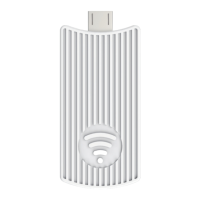

 To Next Page