Need help?
Do you have a question about the Jio JioFi and is the answer not in the manual?
Steps to connect a smartphone to JioFi using a password.
Steps to connect a smartphone to JioFi using the WPS feature.
Steps to connect a laptop or tablet to your JioFi device.
Guide to setting up and using the Jio4G Voice application on your device.
Instructions for creating a Jio ID to access Jio services.
Steps to change the JioFi network name (SSID) and password via a smartphone.
Steps to change the JioFi network name (SSID) and password via a laptop.
Steps to rename JioFi and change Wi-Fi password using the MyJIO App.
 General
| Network Support | 4G LTE |
|---|---|
| Wi-Fi Standard | 802.11 b/g/n |
| Frequency | 2.4 GHz |
| Display | LED indicators |
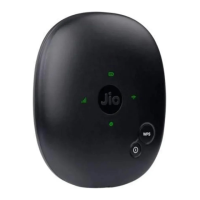
| Model | JioFi |
| Type | Wireless Router |
| Number of Users Supported | Up to 10 |
| Wi-Fi Speed | Up to 150 Mbps |
| Ports | Micro USB |


 To Next Page