First use
Cleaning the interior
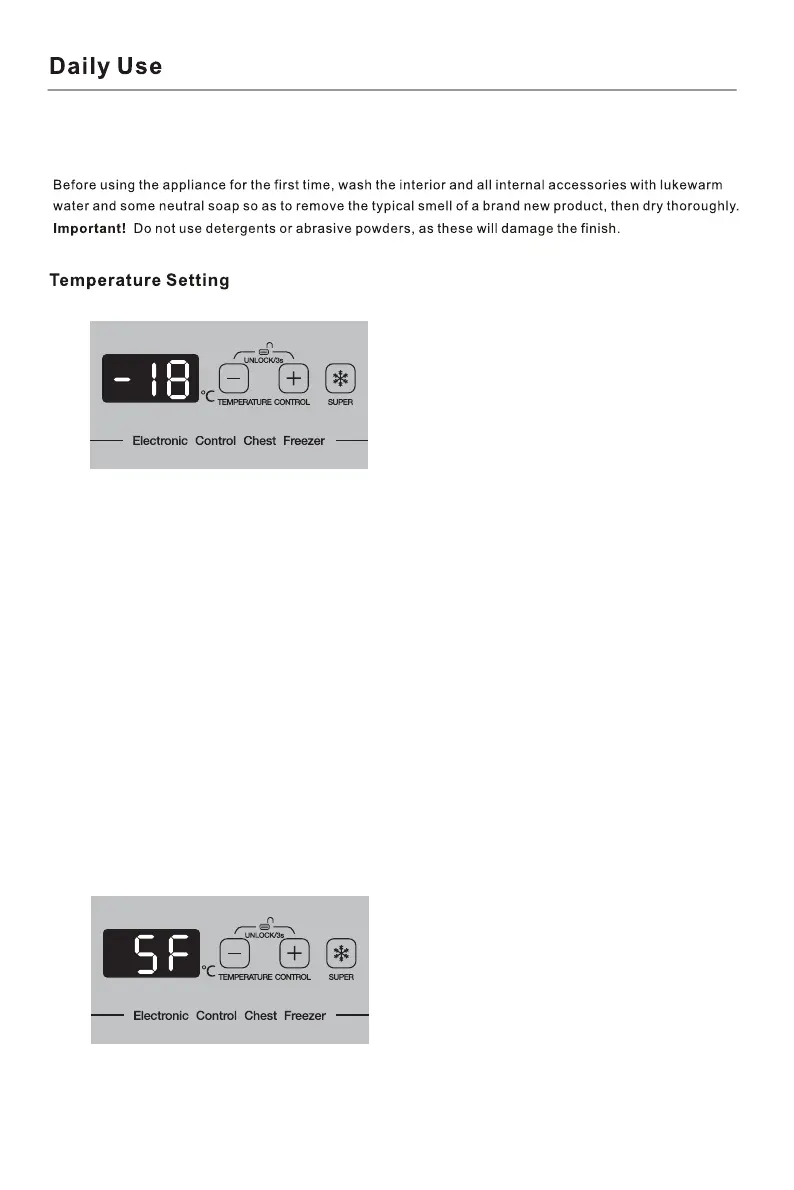
1. Temperature Setting
Temperature could be adjusted by pushing “-” or”+” button. The temperature could be
adjusted from -14 ć to -22ć. Keep pushing the button for 5 seconds, the temperature
could be well set.
2. Lock & Unlock
The temperature setting panel would be locked automatically after 30 seconds without
operation. To unlock the temperature panel, please push both “-” or”+” button in the same
time for 3 seconds, then the temperature setting panel would be unlocked.
3. “SUPER” and Fast Freeze Function
Push “SUPER” button, then the freezer would activate the fast freeze function. The
temperature panel would show “SF” (shown as below picture). Compressor would run for 52
hours without stopping when fast freeze function is activated.
To stop the “SUPER” function, please push the “SUPER” button again.


 To Next Page